Bracket Computing (Acquired by VMWare 06/2018)
The Bracket Computing Cell was a system that allowed IT Admins to securely configure, manage and deploy directive-driven systems to cloud hosting services such as Amazon Web Services and Google Cloud. I spent 2 years designing this system from the ground up with my Visual Design partner Ryan Fashing. I started the journey designing the product by devouring every scrap of documentation I could: VC pitches, requirements documents. I spent countless hours with our CEO, CTO, and founding engineers and product managers to understand this very complex cloud-based system. I build out information architecture and interaction designs, tore them down, only to build them back up again several times. Feedback came from internal stakeholders, end-user interviews and usability tests. I finally got the scaffolding of the product up and took it on the road and did full-blown comprehension and usability tests. The version that you see was materially integral to the company securing its $80 million dollar B-Series funding.
overview
I build out information architecture and interaction designs, tore them down, only to build them back up again several times. Feedback came from internal stakeholders, end-user interviews and usability tests. I finally got the scaffolding of the product up and took it on the road and did full-blown comprehension and usability tests. The UI designer and I did all of the research together.
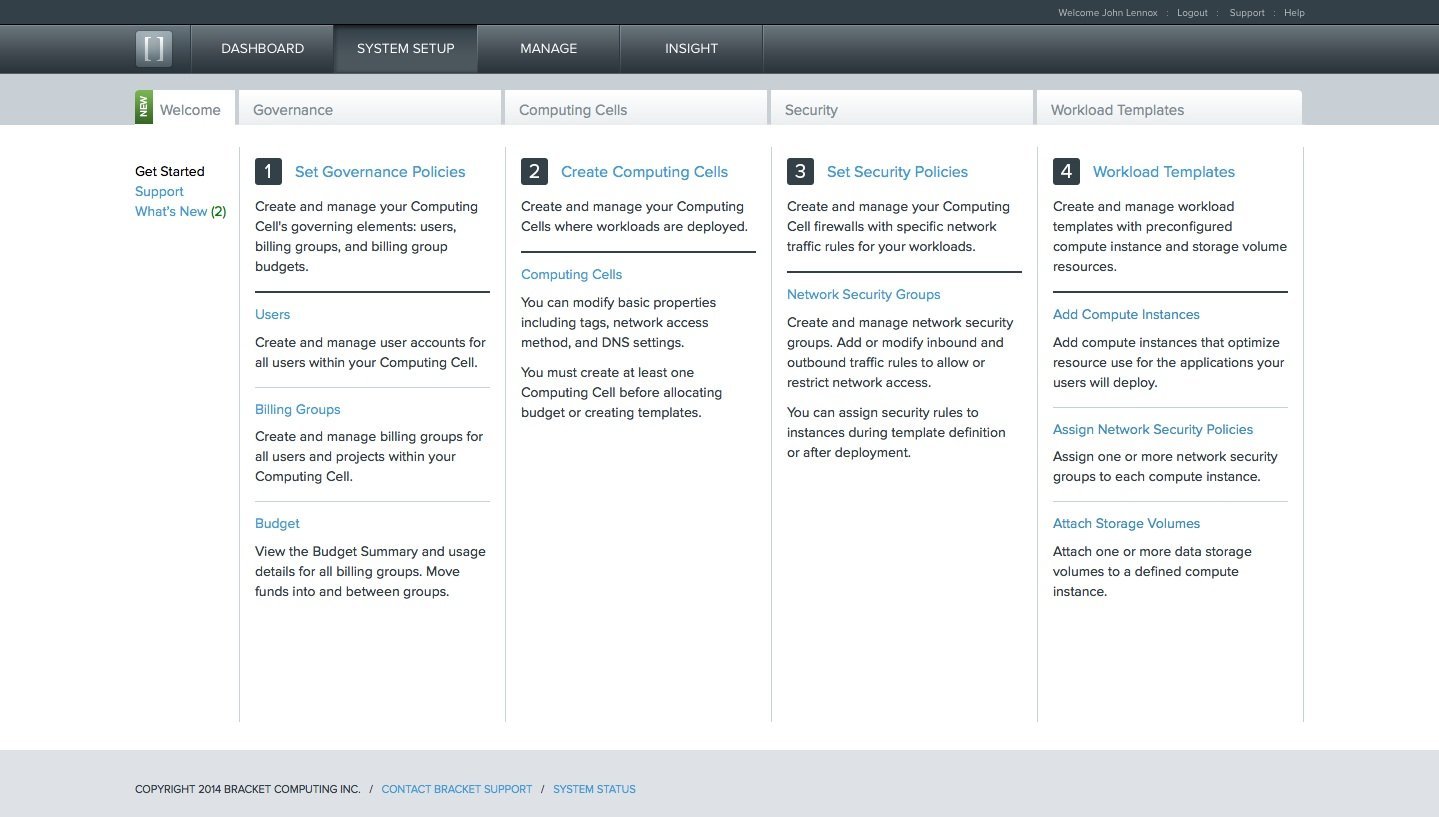
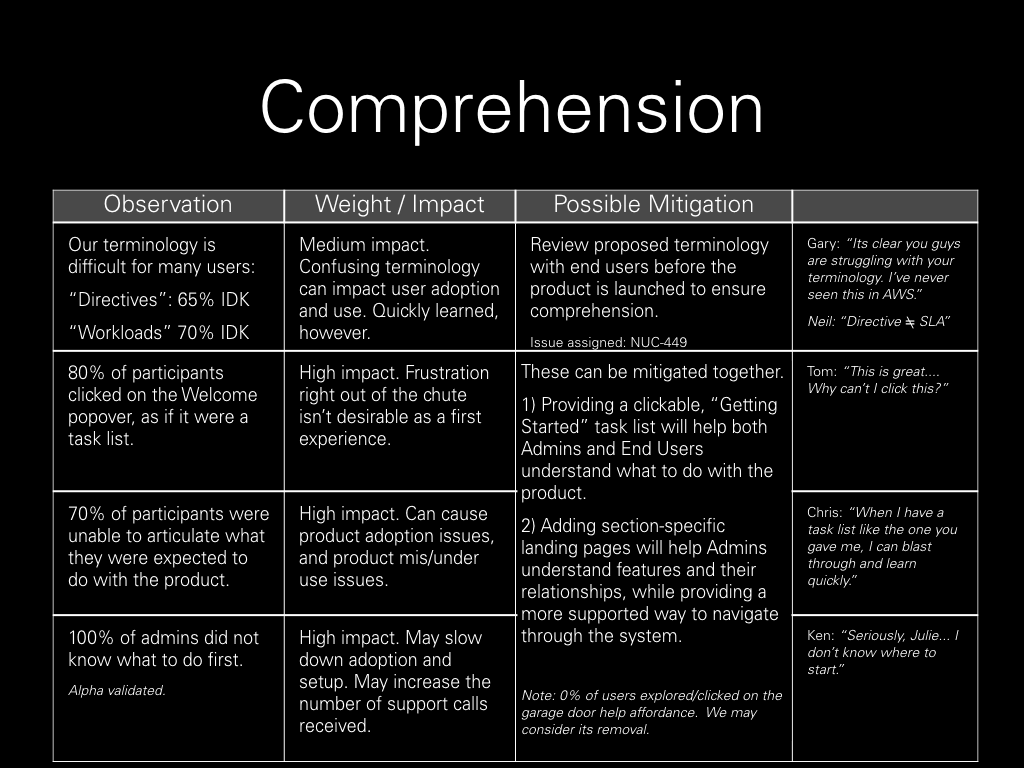
On launch of the system, I had initially designed a small popup that informed IT Admins of the steps required to setup the product. During testing, the majority clicked on it in order to use it as an interactive guide. For the next round, I made the popup into a permanent Welcome page, much to the delight of our Beta IT Admins.
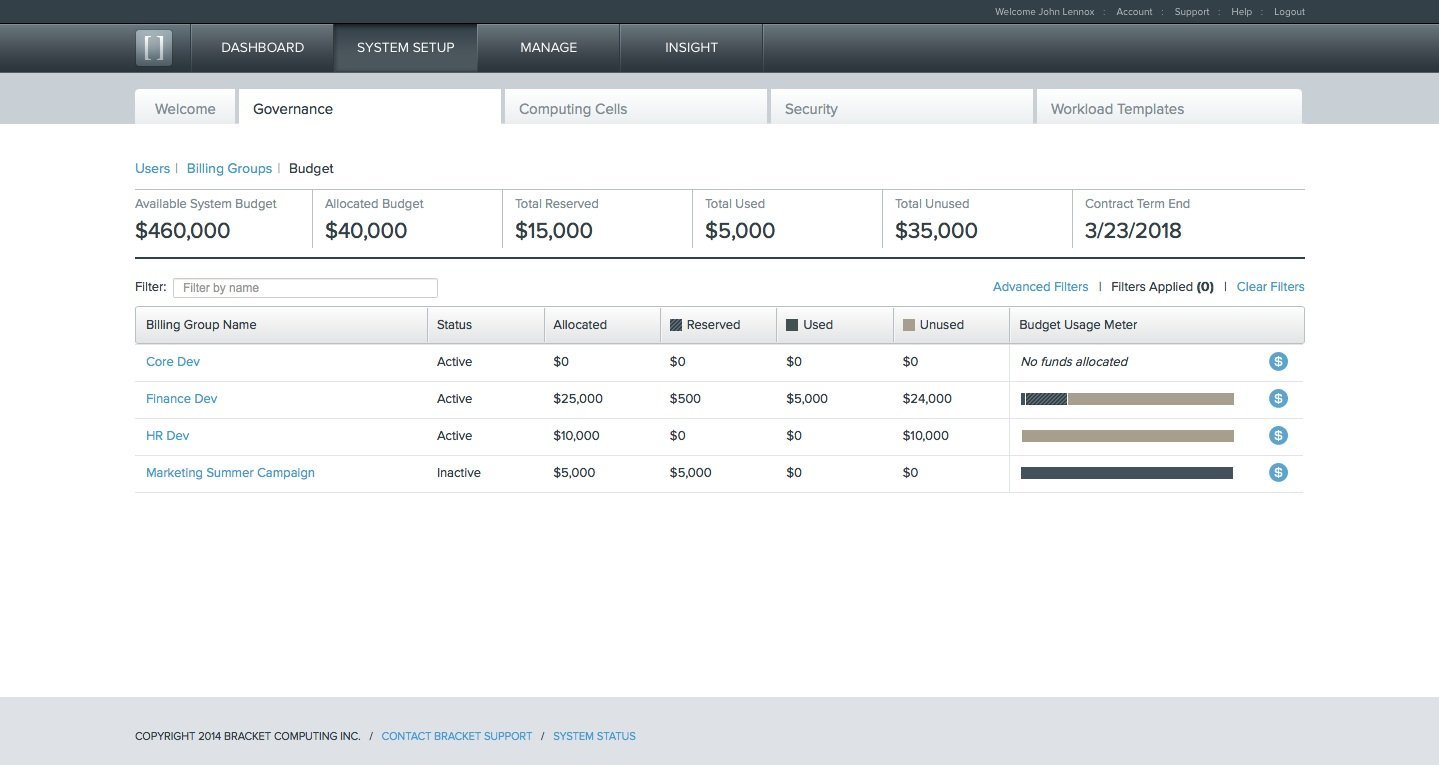
Managing IT budgets spent in the cloud can be challenging. How much do CPU and Storage cost? How much do groups/teams have to spend on those resources? We opted to make this screen very visual and interactive for admins so they could feel more agency in understanding where money was being spent, and by whom.
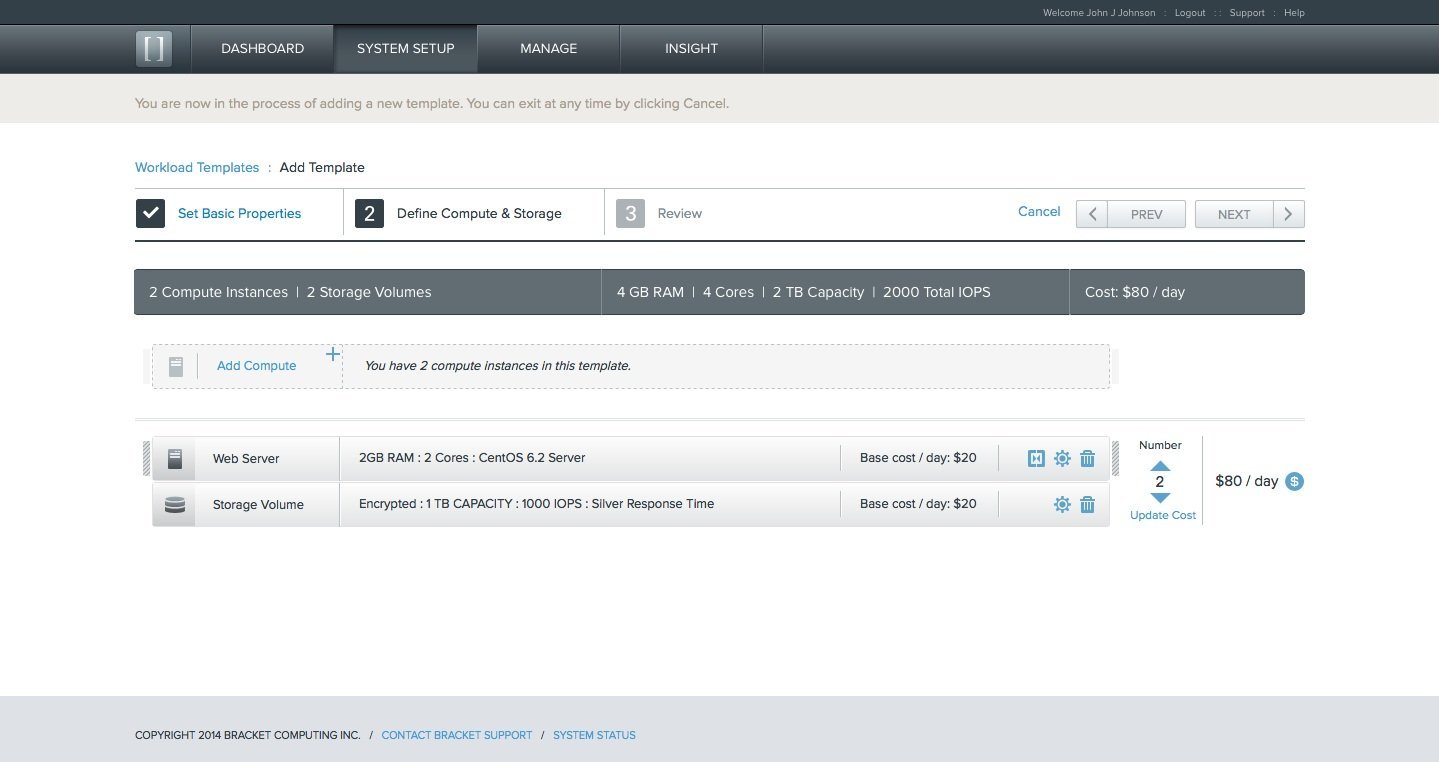
System Admins have very specific configurations for machines that serve different purposes. Those configurations are deployed on a daily (sometimes hourly basis). We designed the Template Builder to be visual and interactive.
Our CTO suggested that I design the Web Server and Data Storage components like those in the real world. The design is a virtual equivalent of picking up a component and racking it in the server room, except lighter, of course
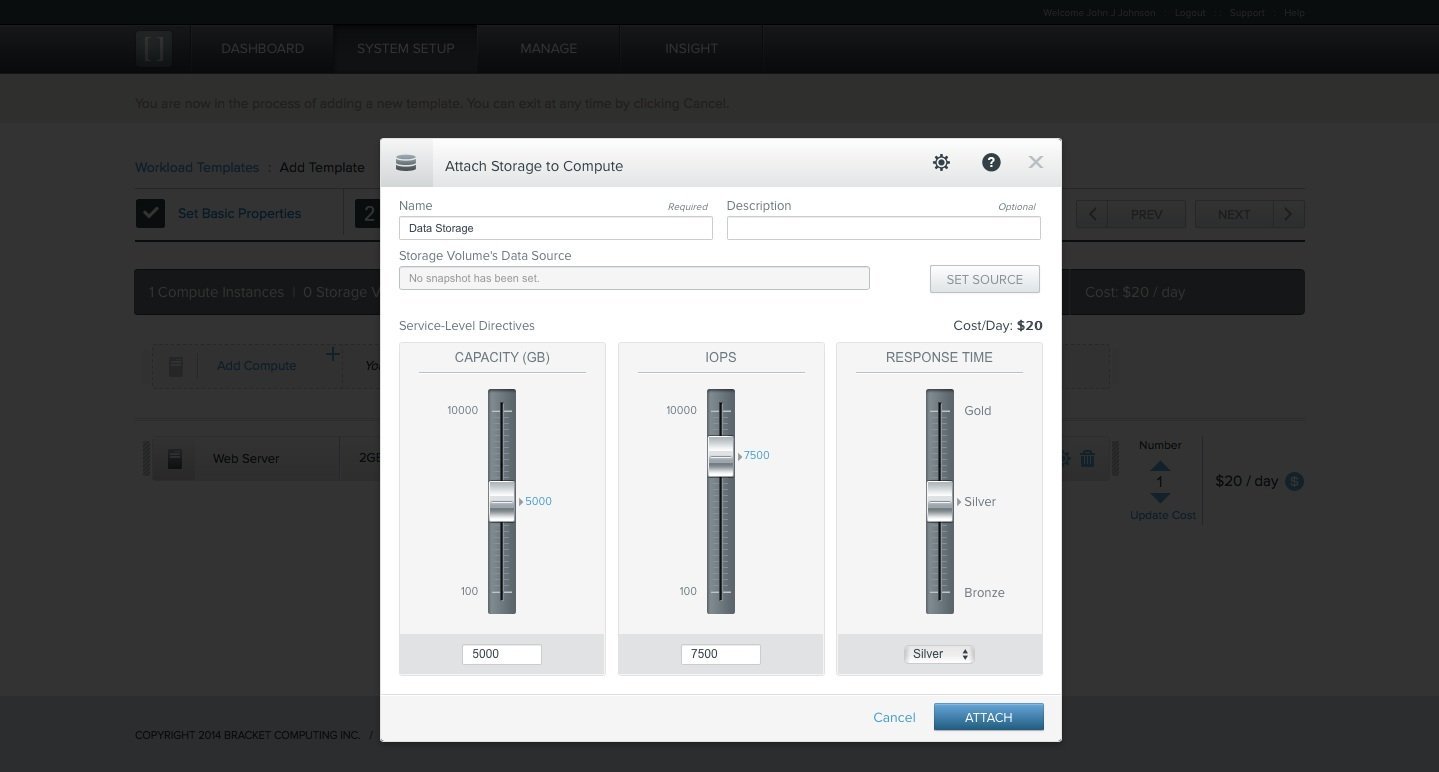
Bracket's primary users are IT Admins that usually manage physical machines.
One of our design goals was to make configuration "feel real". The storage volume sliders used skeumorphic design to mimic sliders from old-school HiFi components. In addition, engineering figured out how to add physical feedback to the sliders so that they "thunked" into position, locking in the directives.
Volumes could also be modified while operational in the cloud - which delighted Admins the first time they used the product!
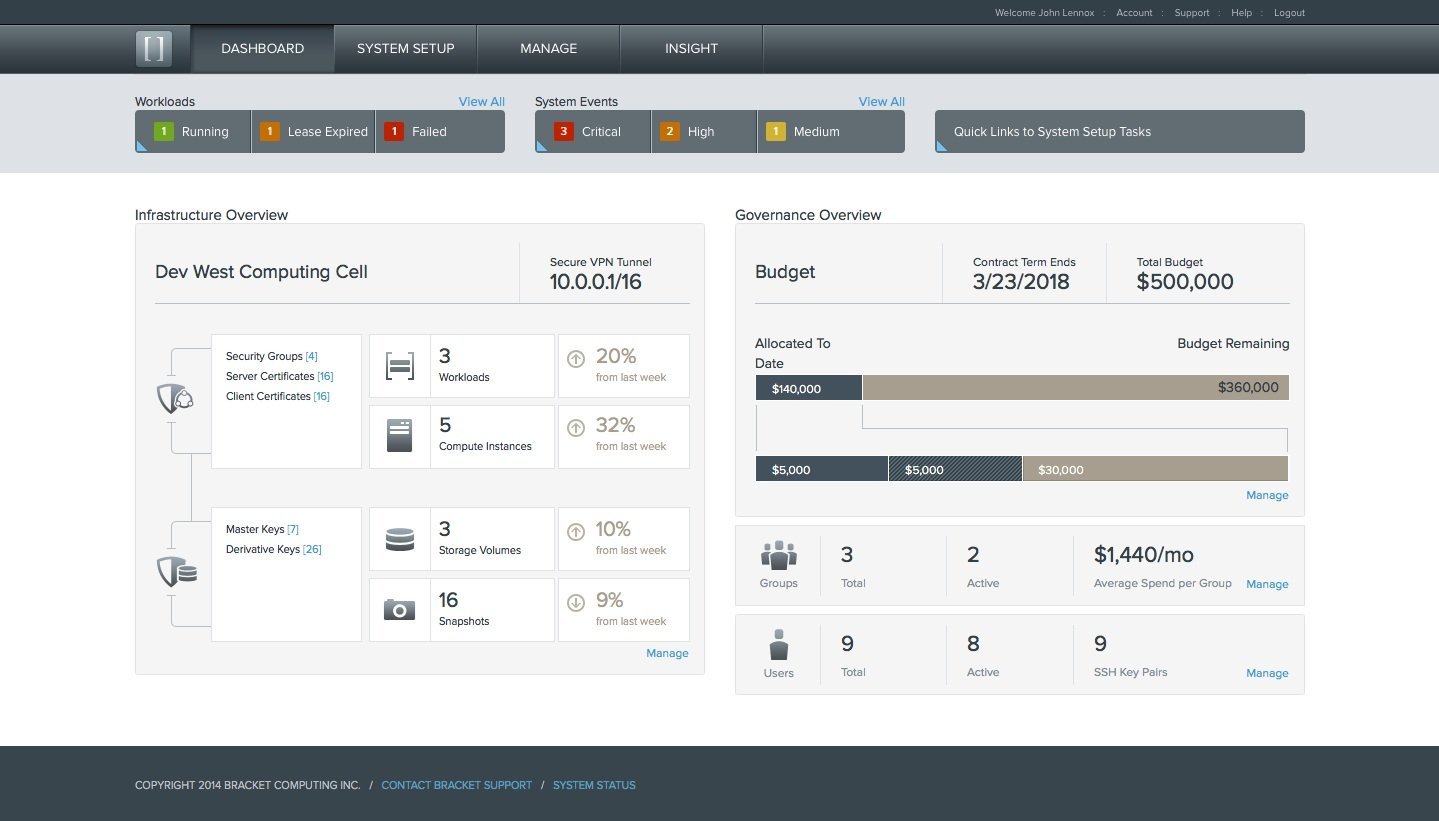
Finally, we put together a dashboard so admins would have an at-a-glance view of what is happening in their system at all times. We opted to put the Red / Yellow / Green issue counts right up at the top for quick scanning of what admins care about most: fixing what’s broken.
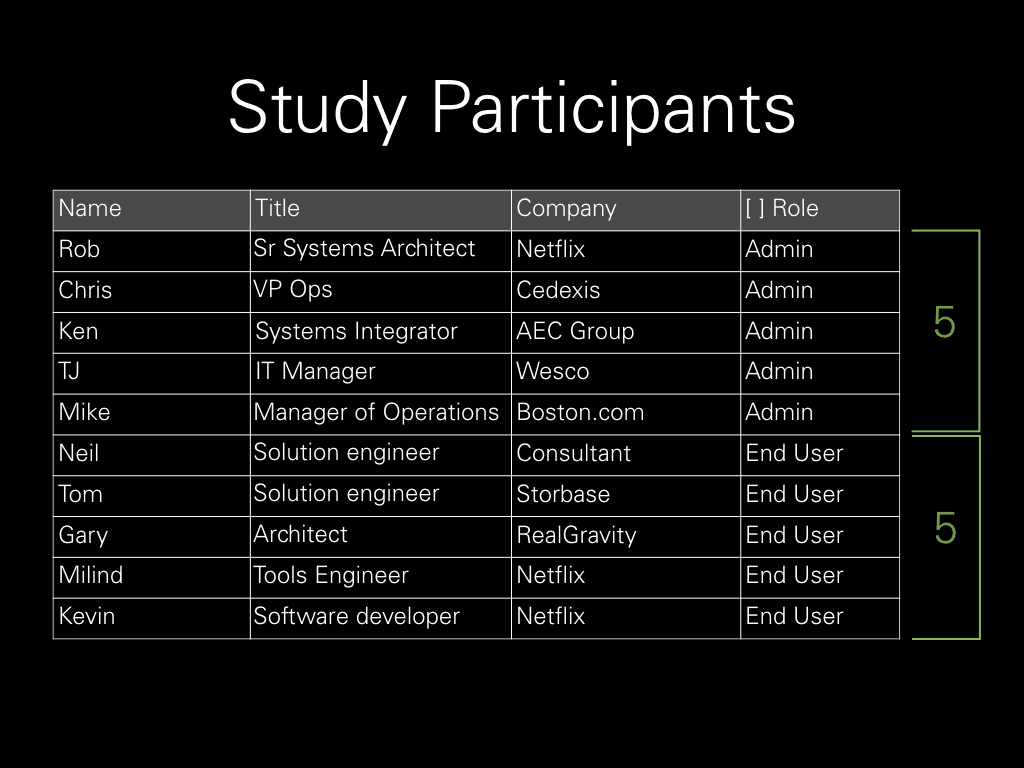
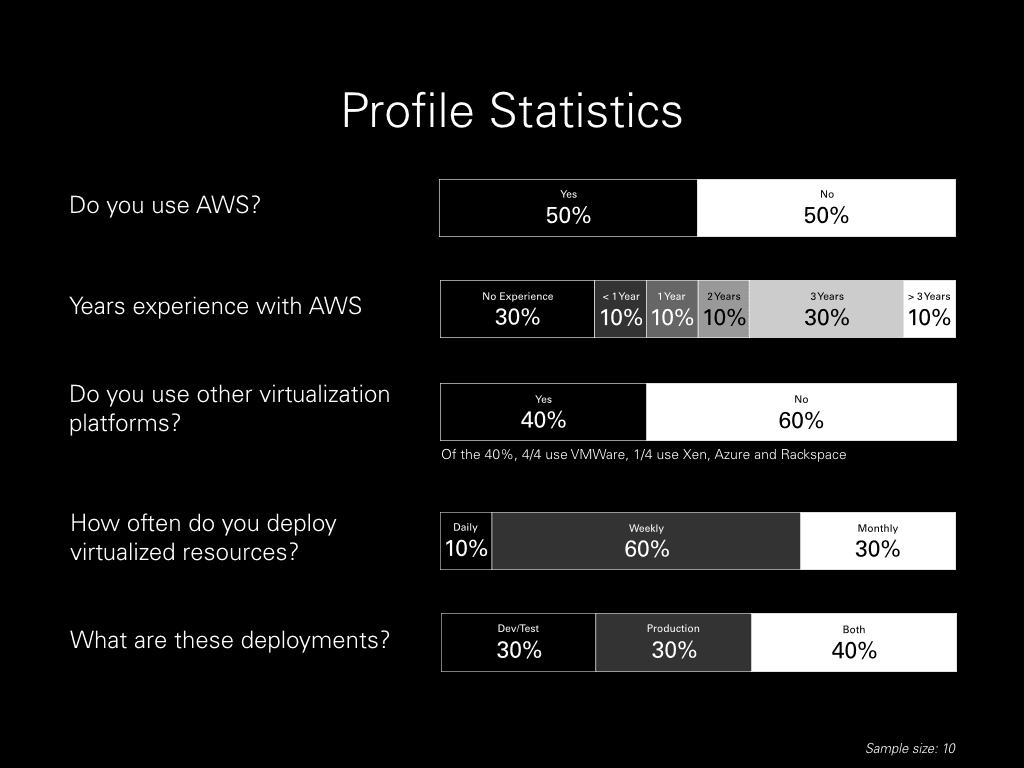
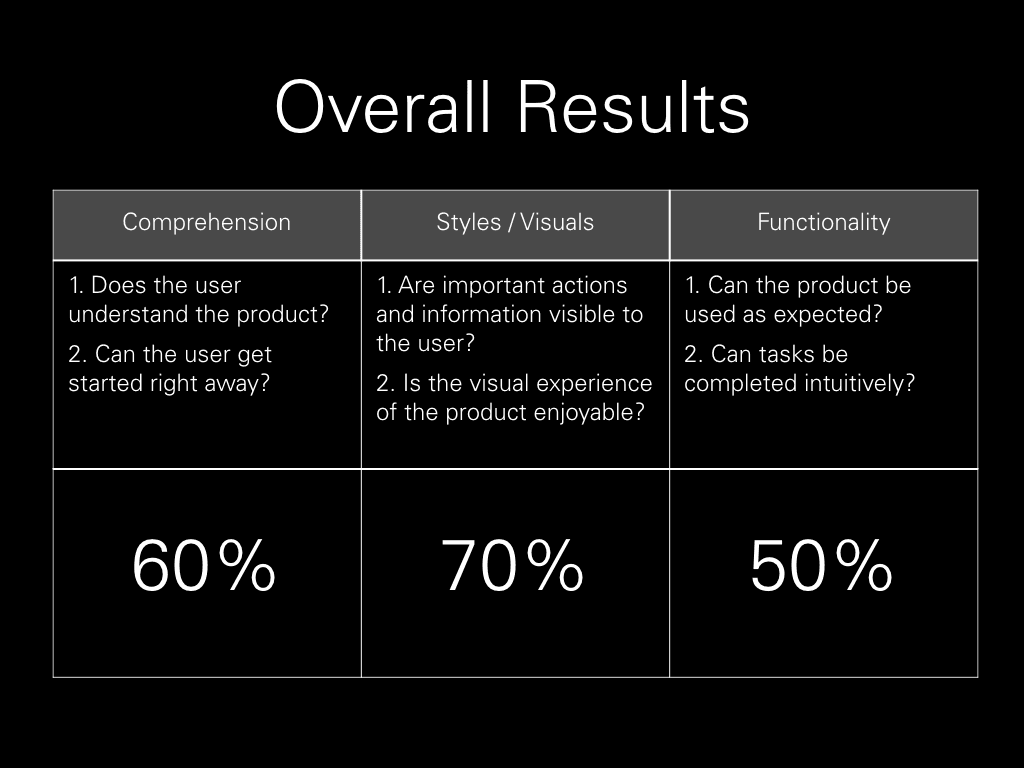
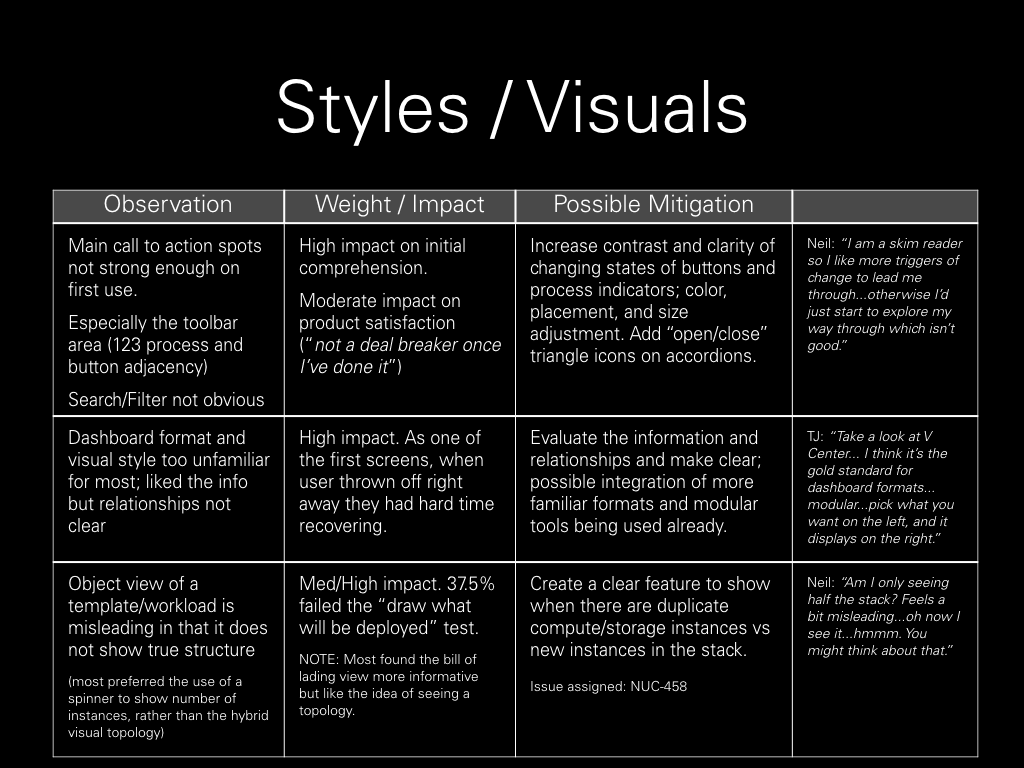
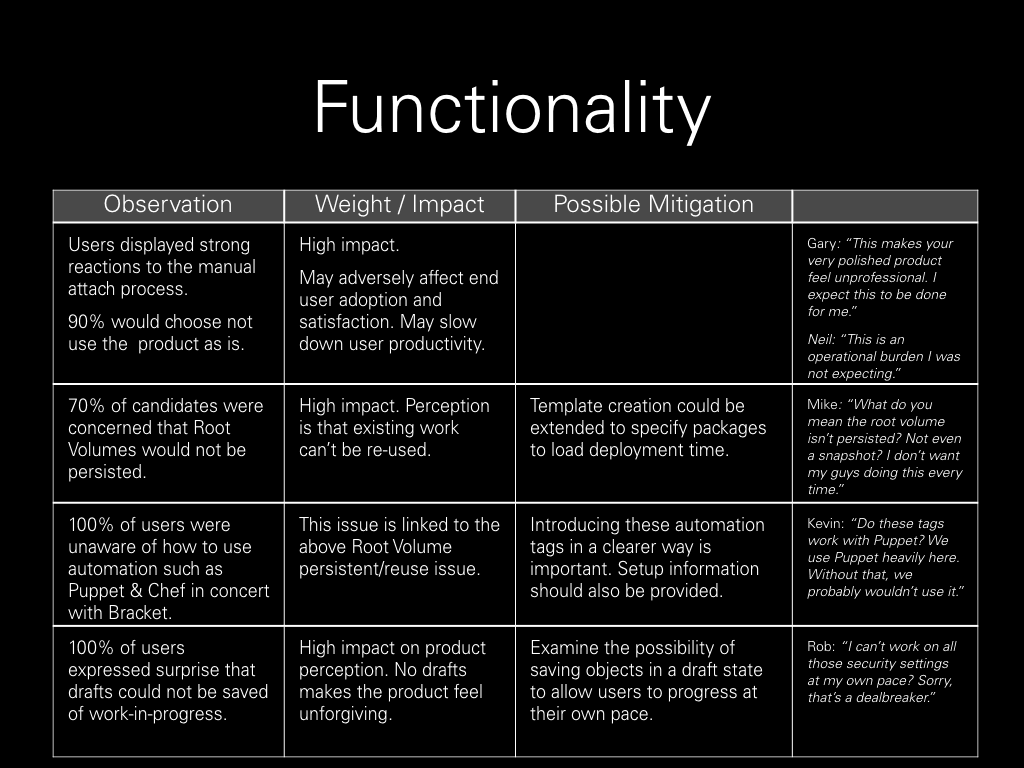
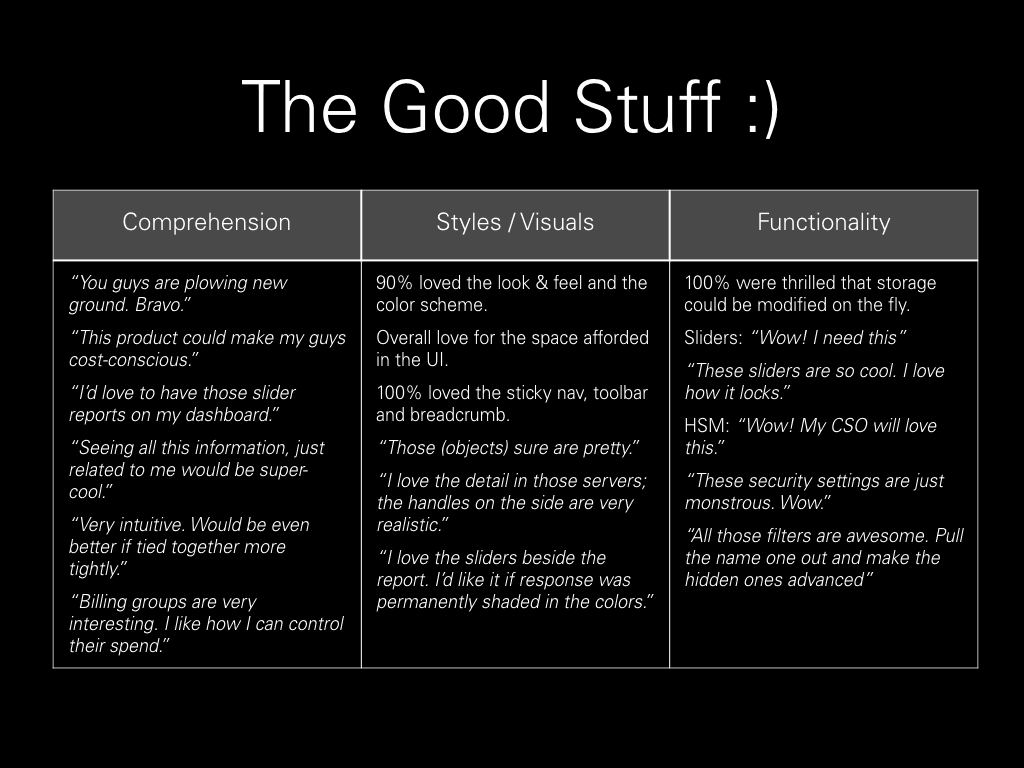
We ran a 6-city testing tour of some friendlies as well as early Bracket customers. Our results informed what needed to be iterated on before we could ship the product to our customers.

©️ 2024, Julie Lynn Lemieux