Aquera
hr Connect
As part of a significant market expansion in 2024, Aquera's leadership decided to build an HR-focused data orchestration product for smaller companies in the mid-market. This is a fully stand-alone product that is fully differentiated from the enterprise Aquera Identity and HR Integration Platform as a Service.
about aquera
Worker onboarding to IT from HR applications is automated in real-time into critical business applications and corporate directories like Active Directory, Entra ID, and Okta. Aquera has pre-built integrations to over 50 HR applications and over 800 business applications. As employees join, move positions within, or leave an organization, supporting changes made within the HRIS are automatically propagated across the IT and application infrastructure, adding and maintaining application access for only those users who should have access and removing access and retiring licenses for those who should not. The benefits include day one productivity for new hires, closure of security holes with exiting workers, and lower overall operational costs.
overview
purpose
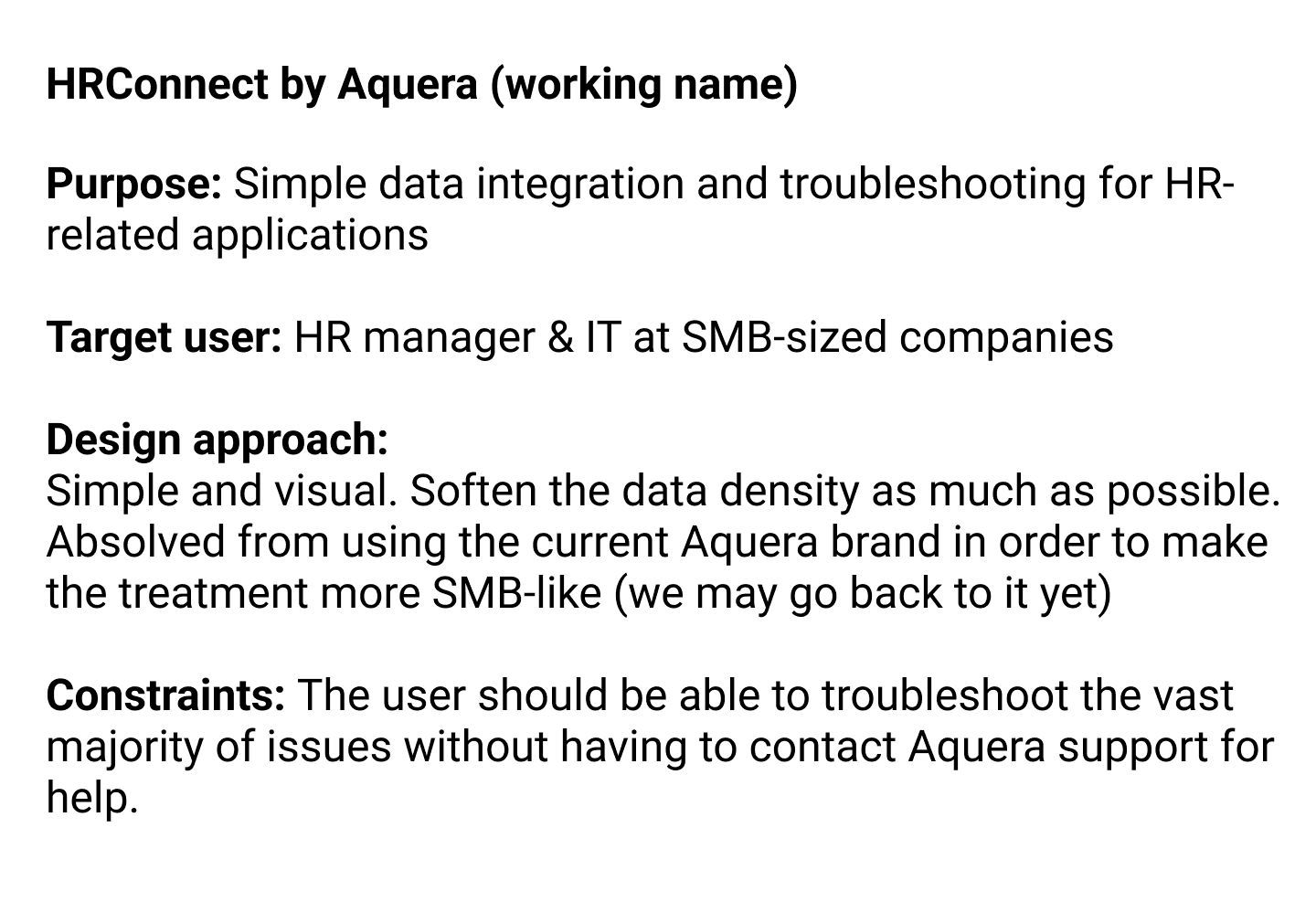
Simple data integration and troubleshooting for HR-related applications
target user
HR manager & IT at SMB-sized companies
Design approach
Simple and visual. Soften the data density as much as possible.
Absolved from using the current Aquera brand in order to make the treatment more SMB-like (we may go back to it yet).
Constraints
The user should be able to troubleshoot the vast majority of issues without having to contact Aquera support for help.
Make it easy for a non-technical person such as an HR manager to perform application and data integration tasks that are typically performed by IT personnel
Allow the HR manager to troubleshoot most data and application related problems without having to contact Aquera support
Sell common SMB application integrations as "recipes" rather than provide a seemingly endless list of applications with which the user to creates their own combinations
Visually treat the product to be more in line with popular SMB products
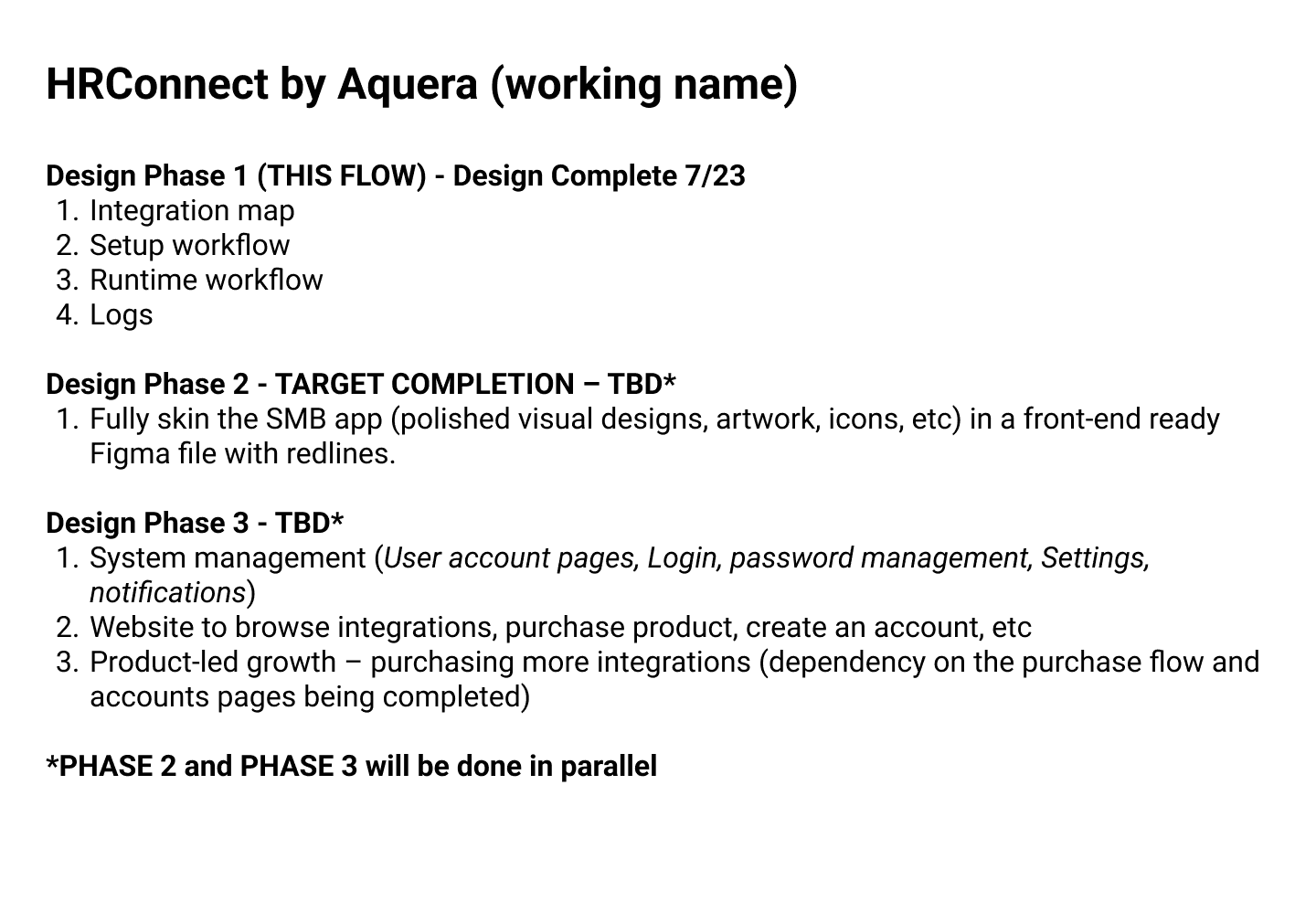
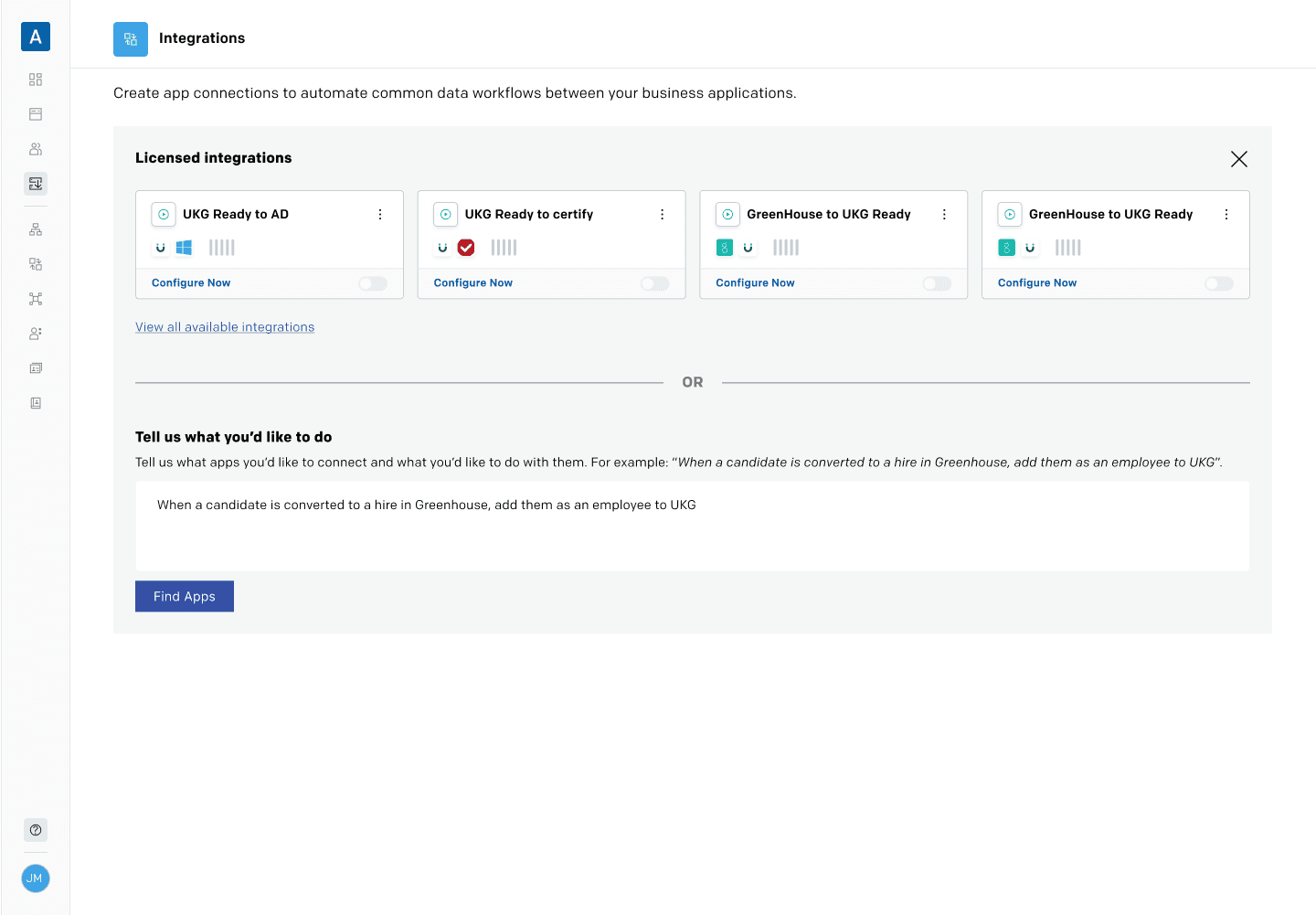
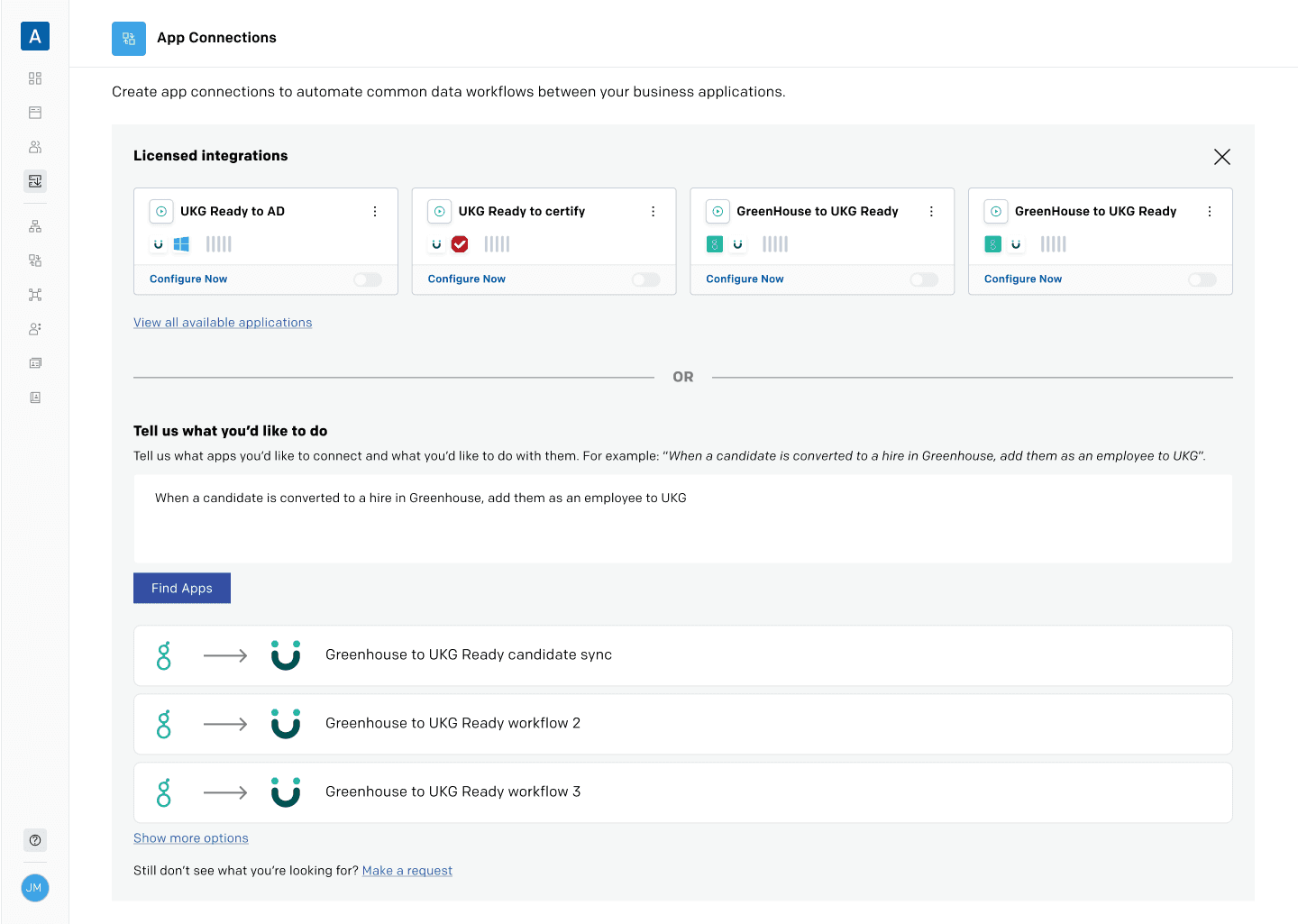
Having worked on the initial version of Aquera 5 years ago, I started building the application using the existing design system. This saved me a significant about of time getting initial workflow and story in place so I could get feedback as soon as possible.
Flow 1
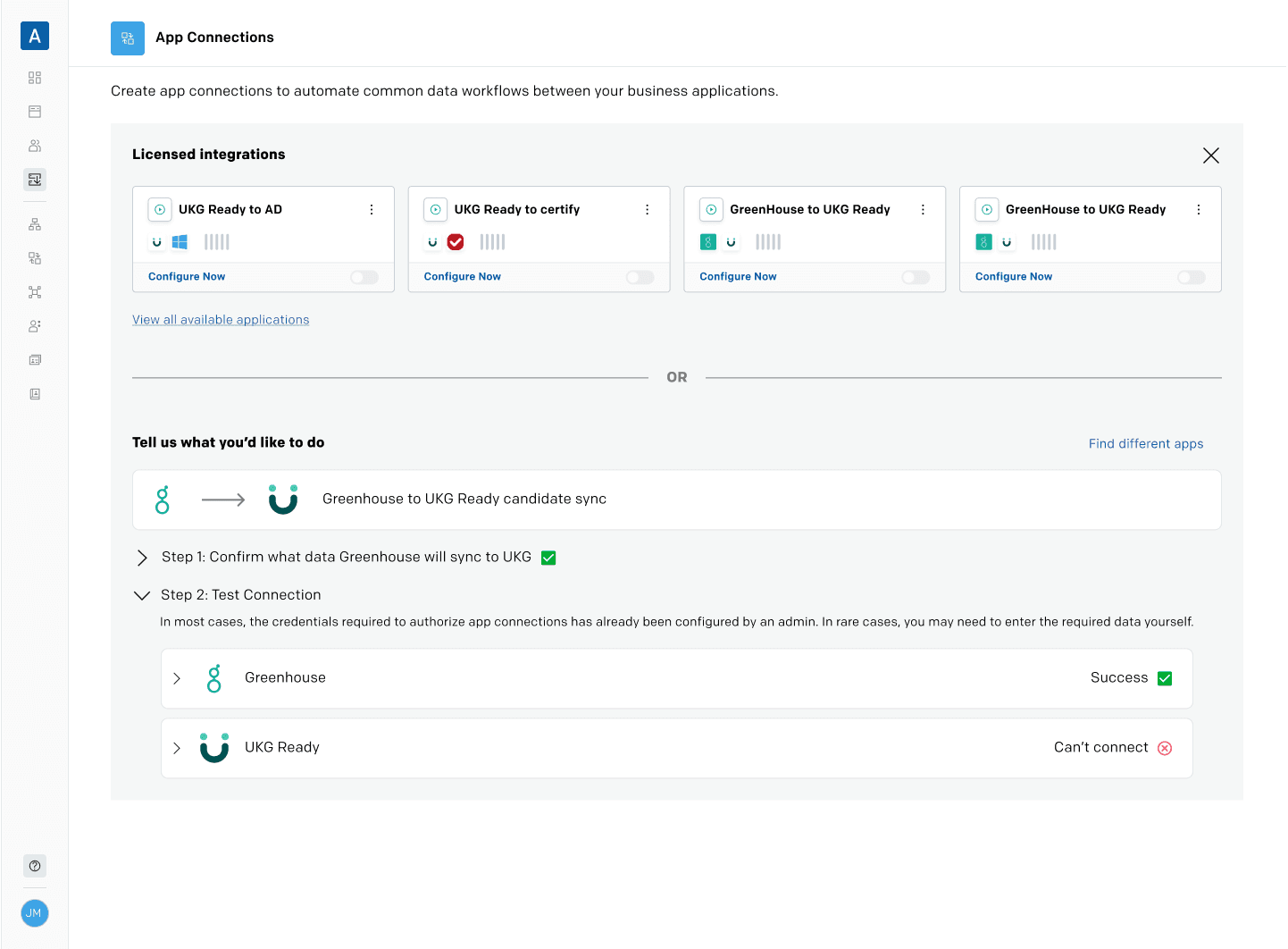
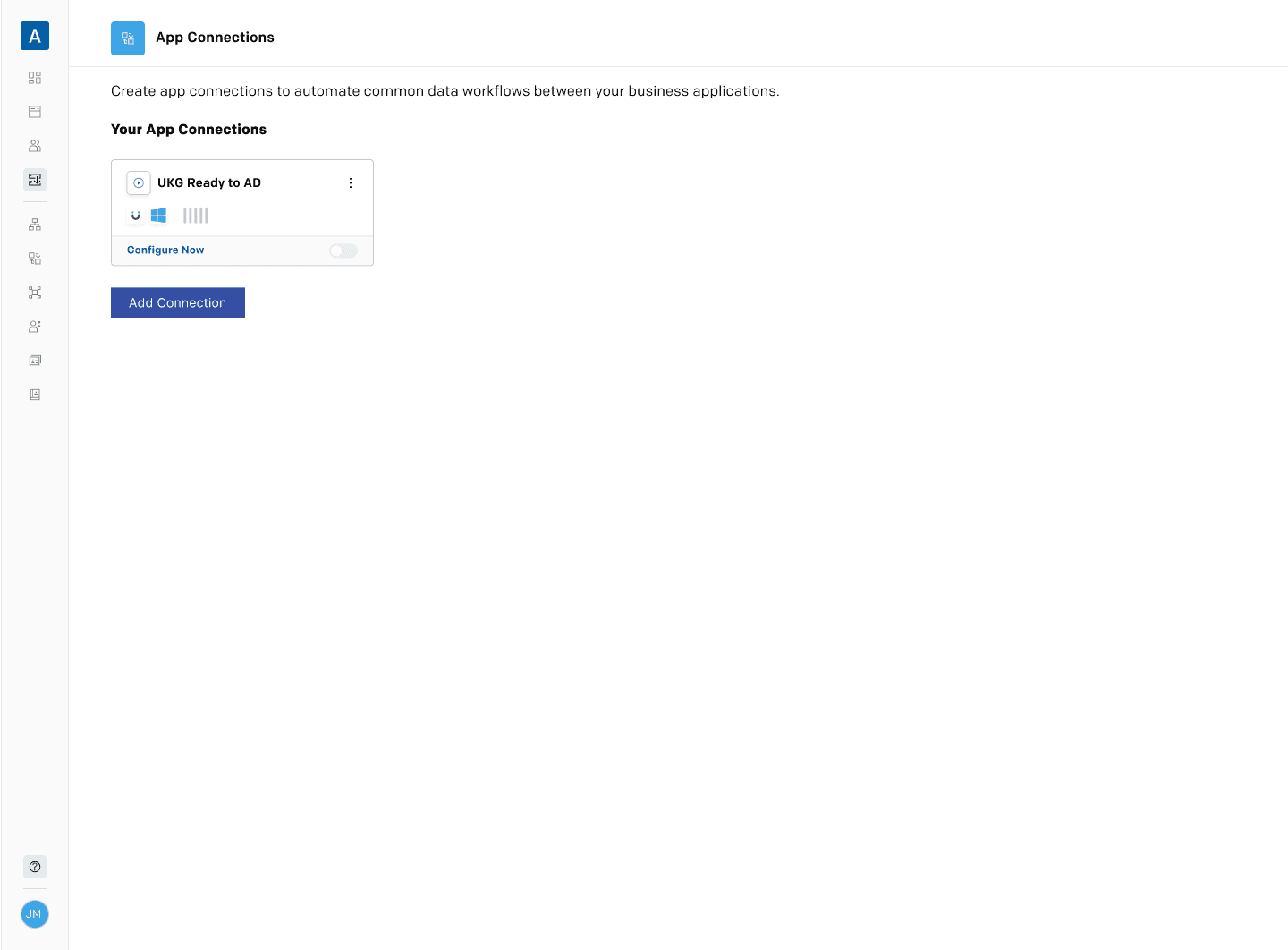
Licensed apps have already been purchased and are available in the UI for setup
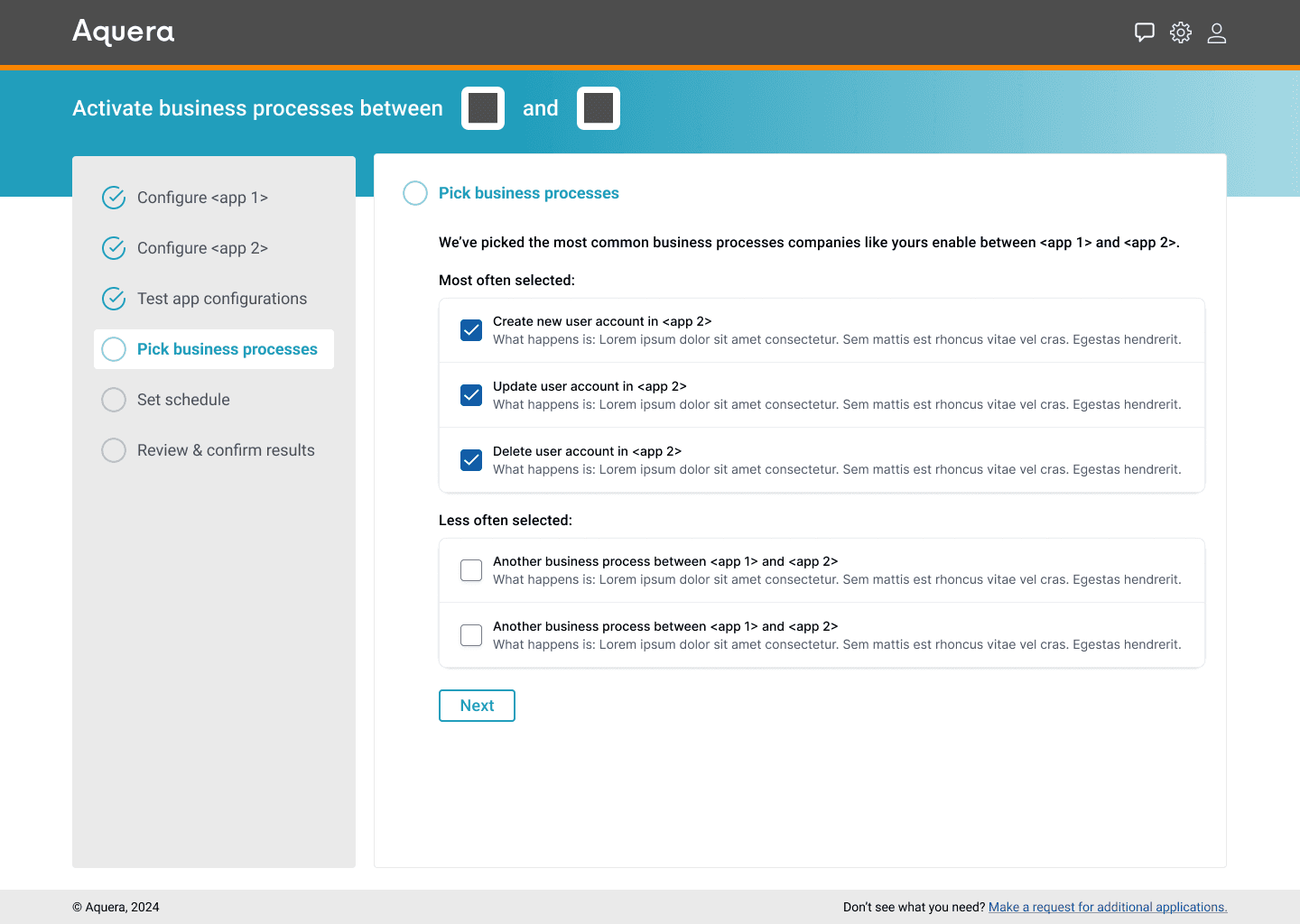
System knows common business workflows for app combos
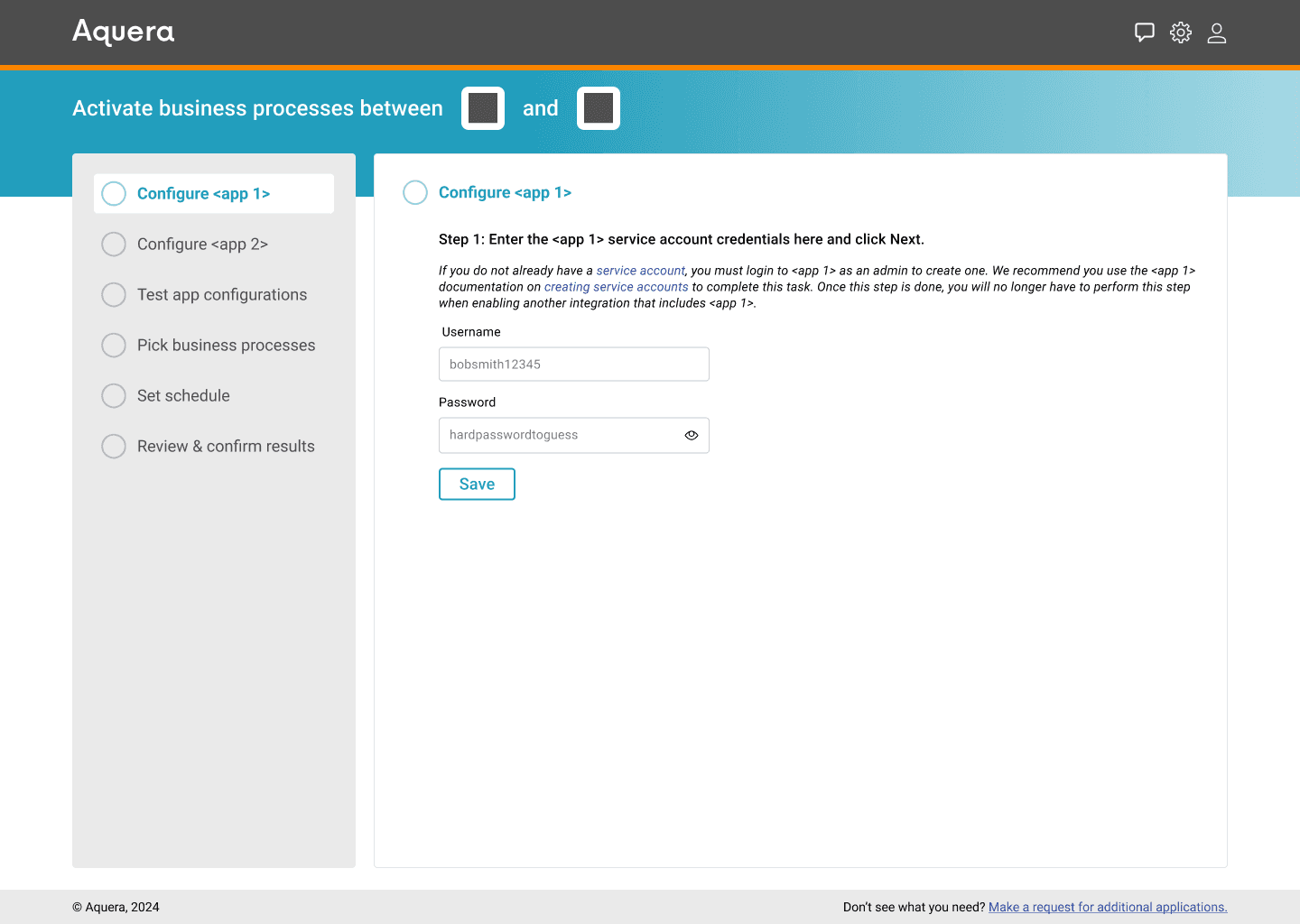
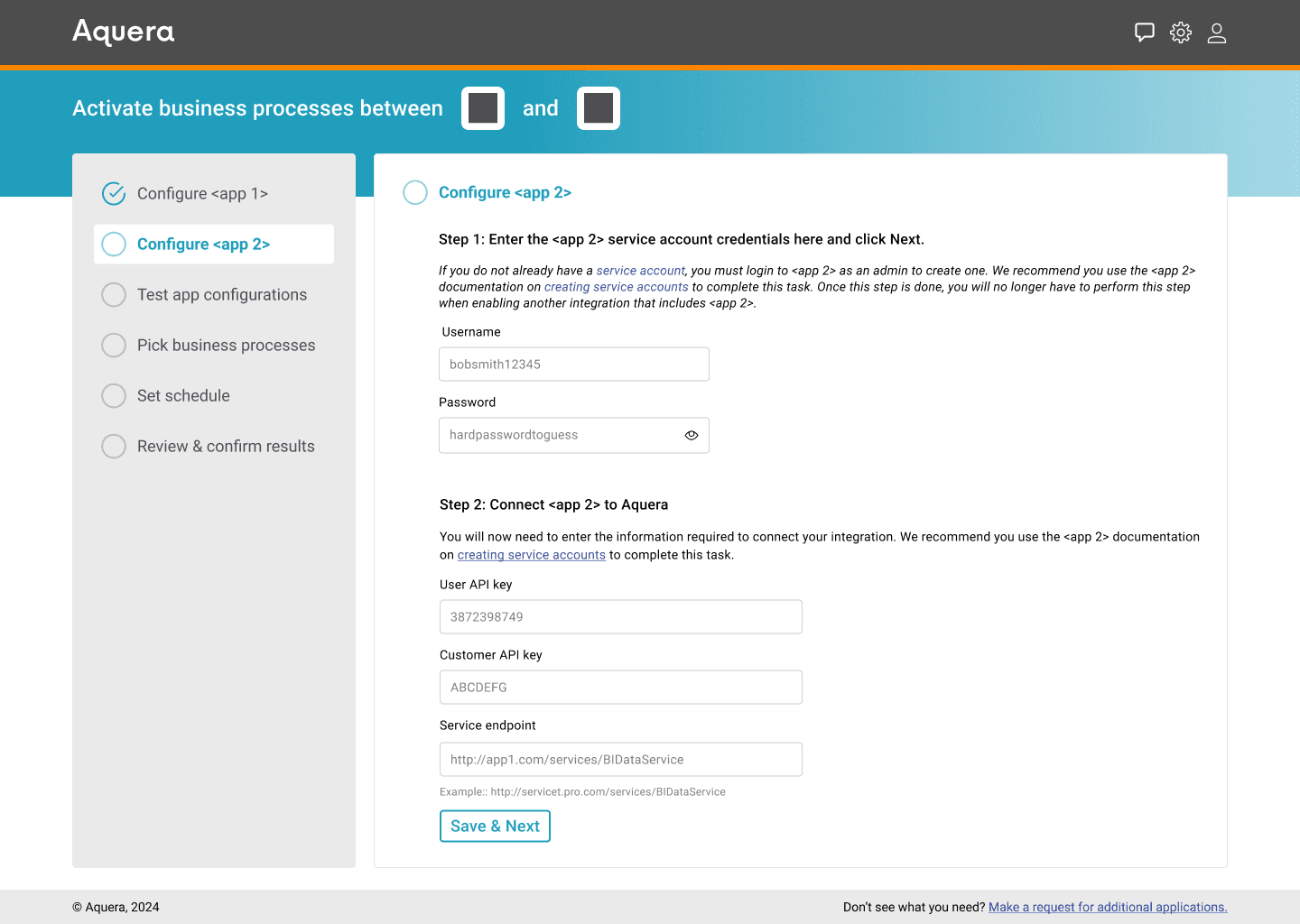
Apps have NOT been configured so the following needs to be done to each:
Creation of service account
Input credentials
Connection testing
wouldn't it be cool if…
"… we used an AI chatbot to ask the user what they wanted to do and then guide the user through the process?"
Sure. Lets's try integrating that.
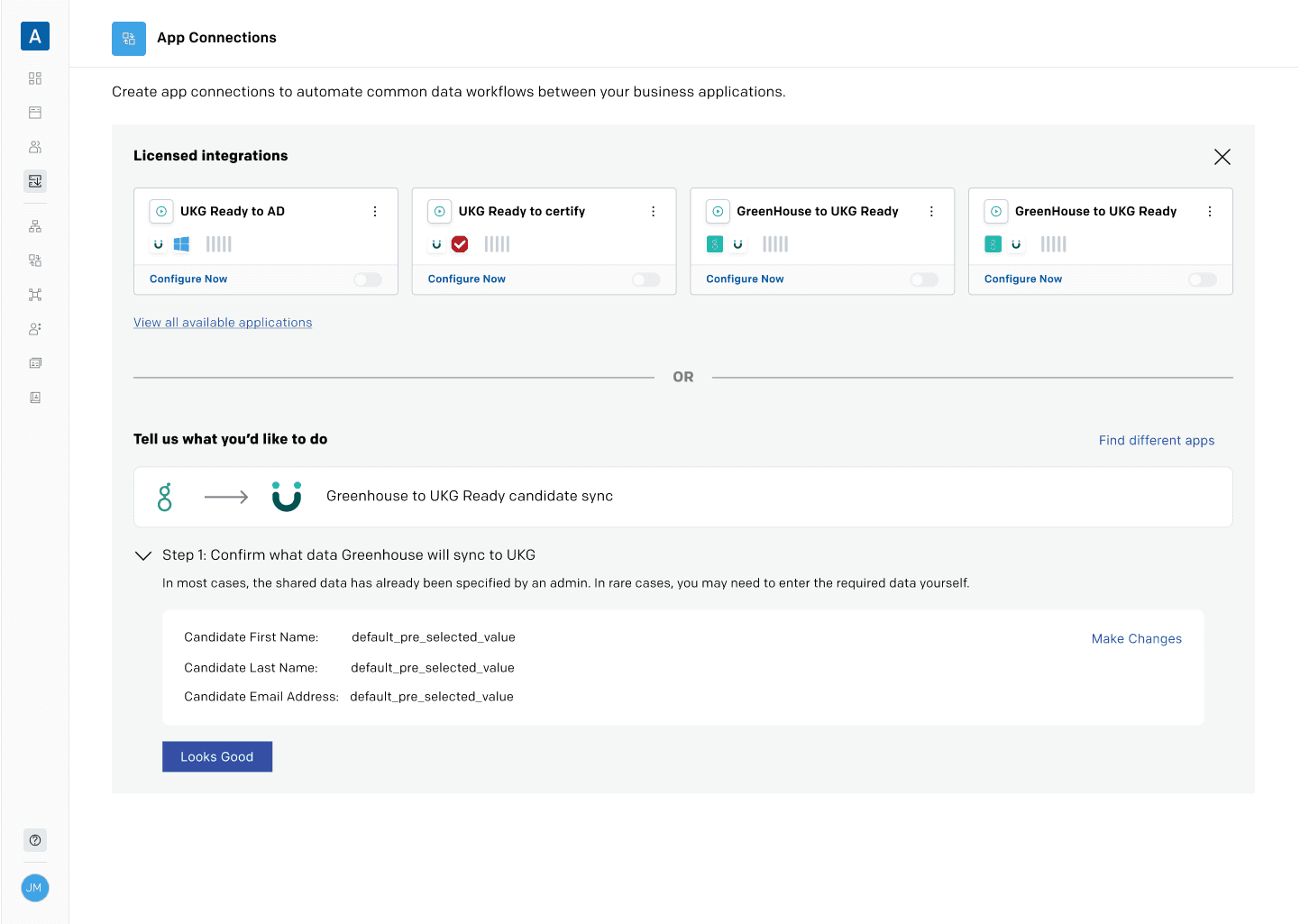
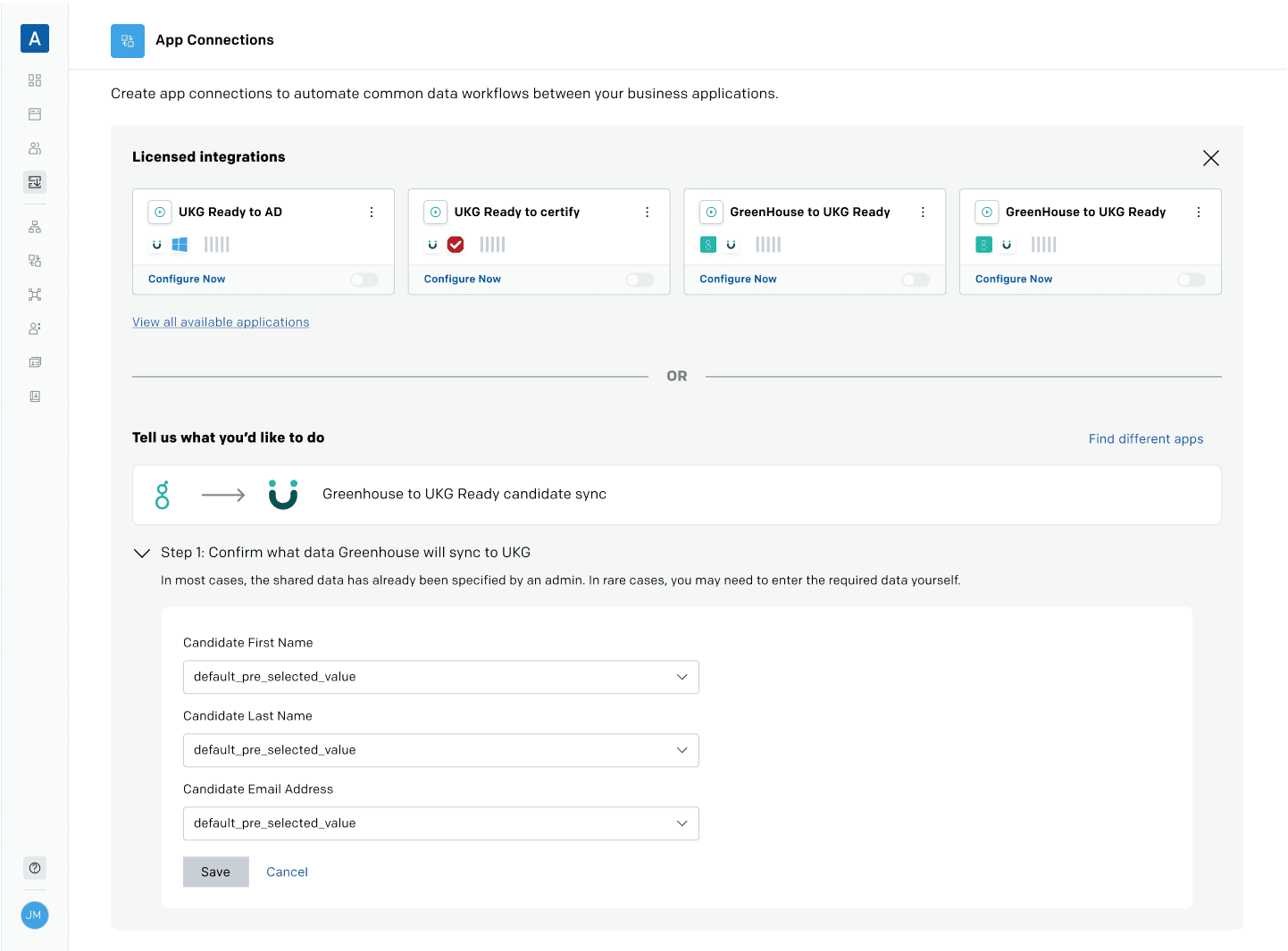
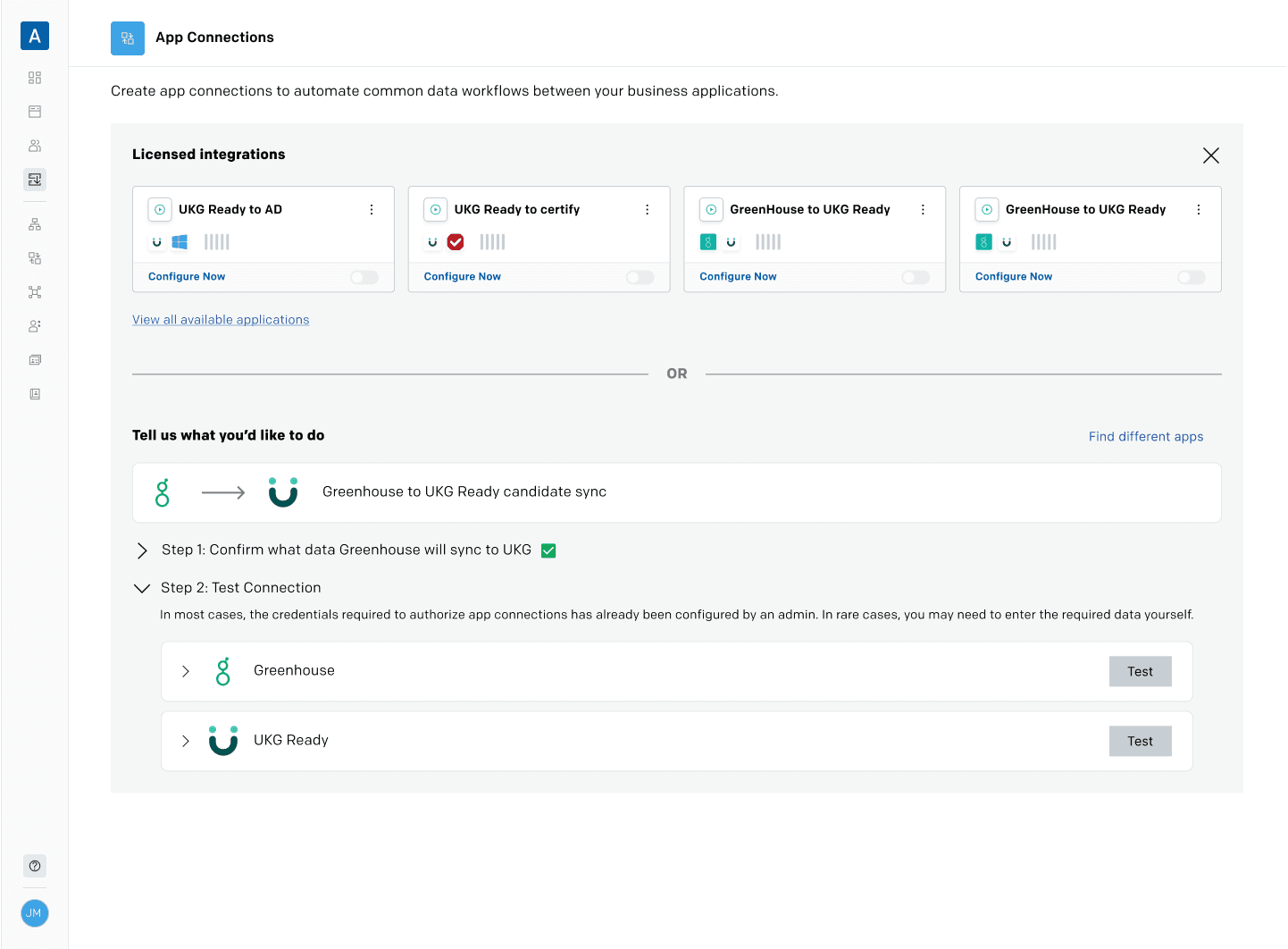
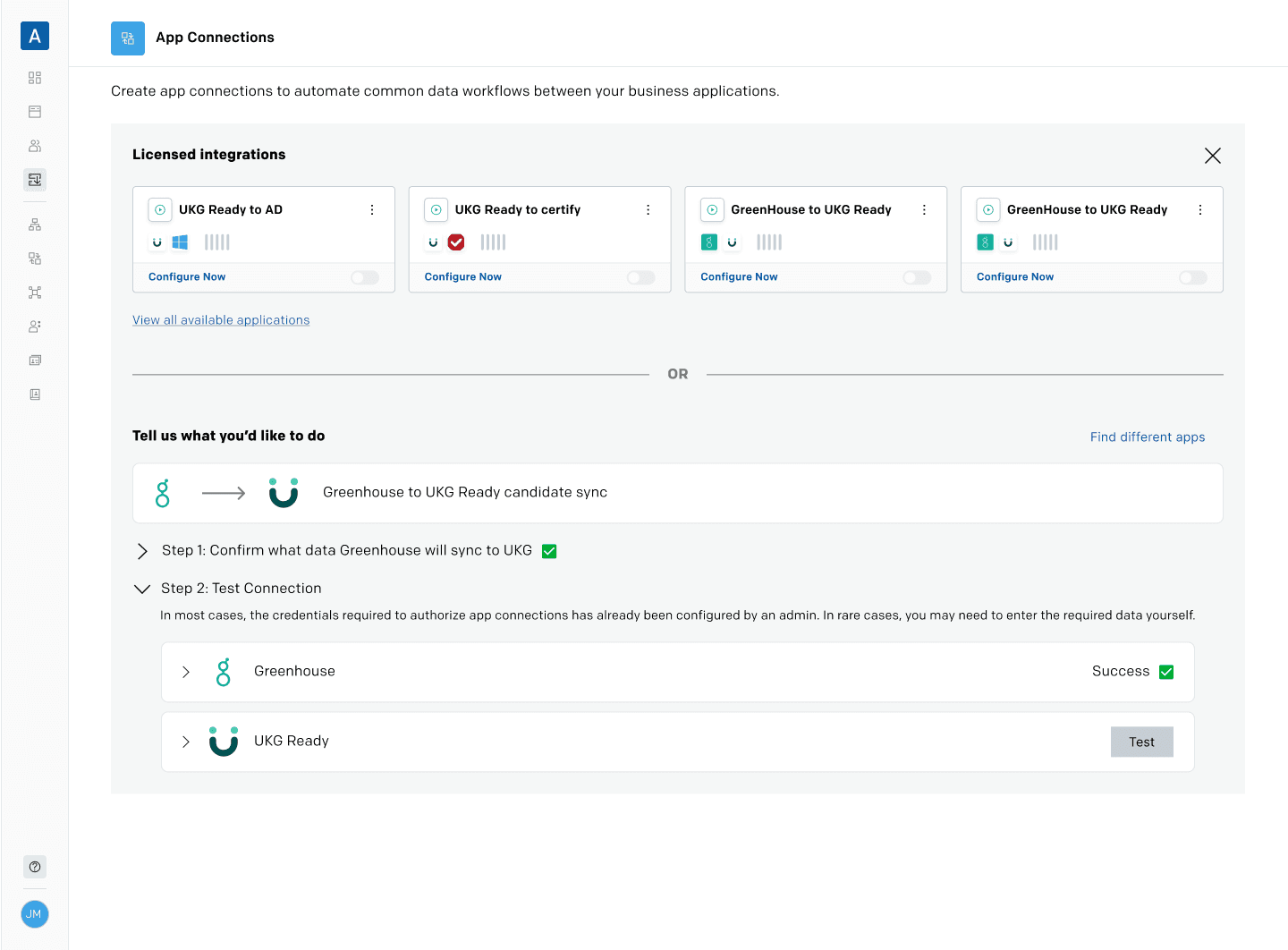
Feedback: make it more business process forward
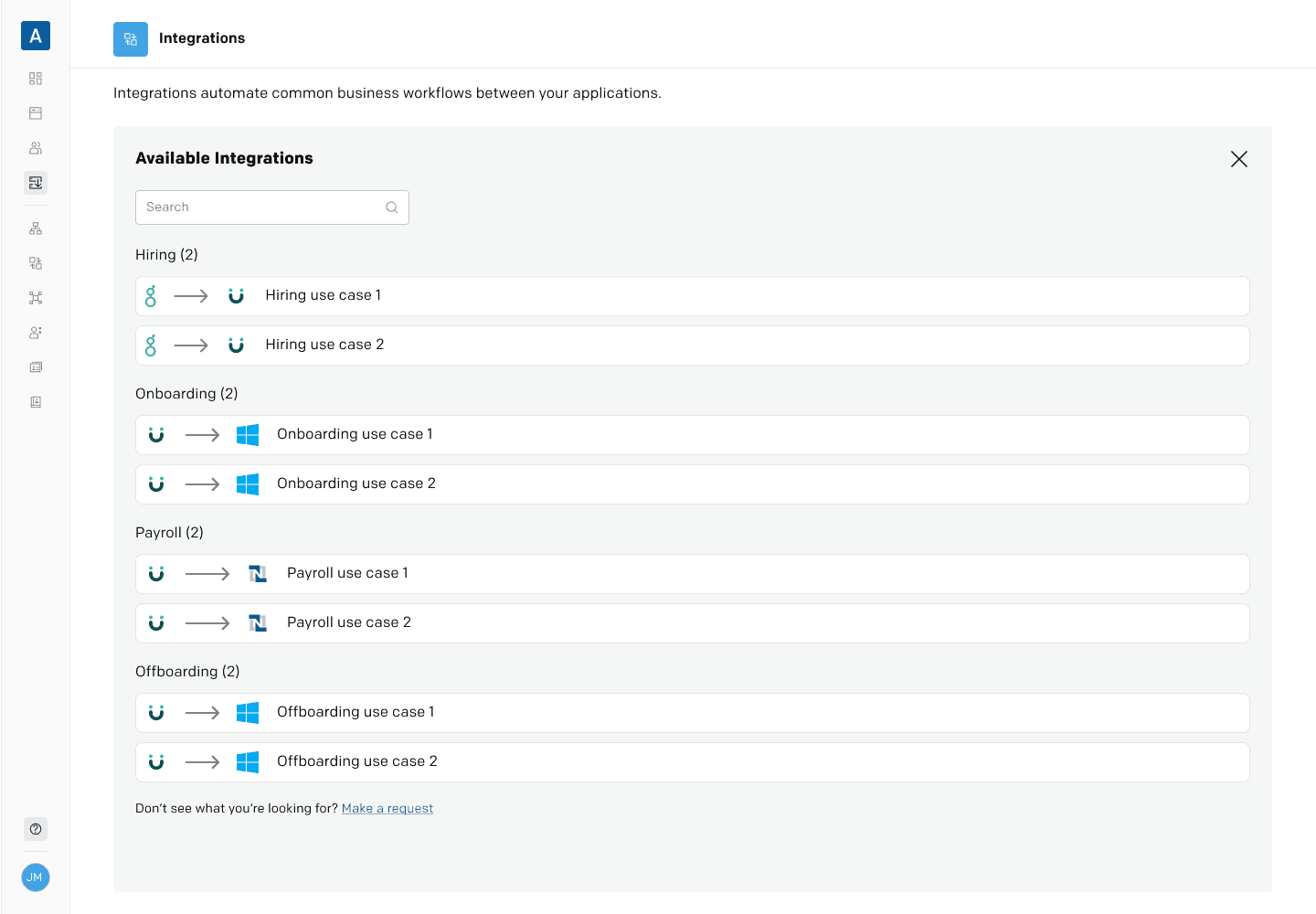
The target HR Manager user often thinks in business processes — that is to say the things that they need to do as part of their jobs. Examples of this included:
Adding new hires into the HRM system (ie: move new hire data from an application tracking system [Greenhouse] into the hr management system [UKG Ready])
Onboarding new hires into identity management systems [Okta] and directory services [Active Directory]
Payroll management (ie: sync payroll data [UKG Ready] to accounting system [Netsuite])
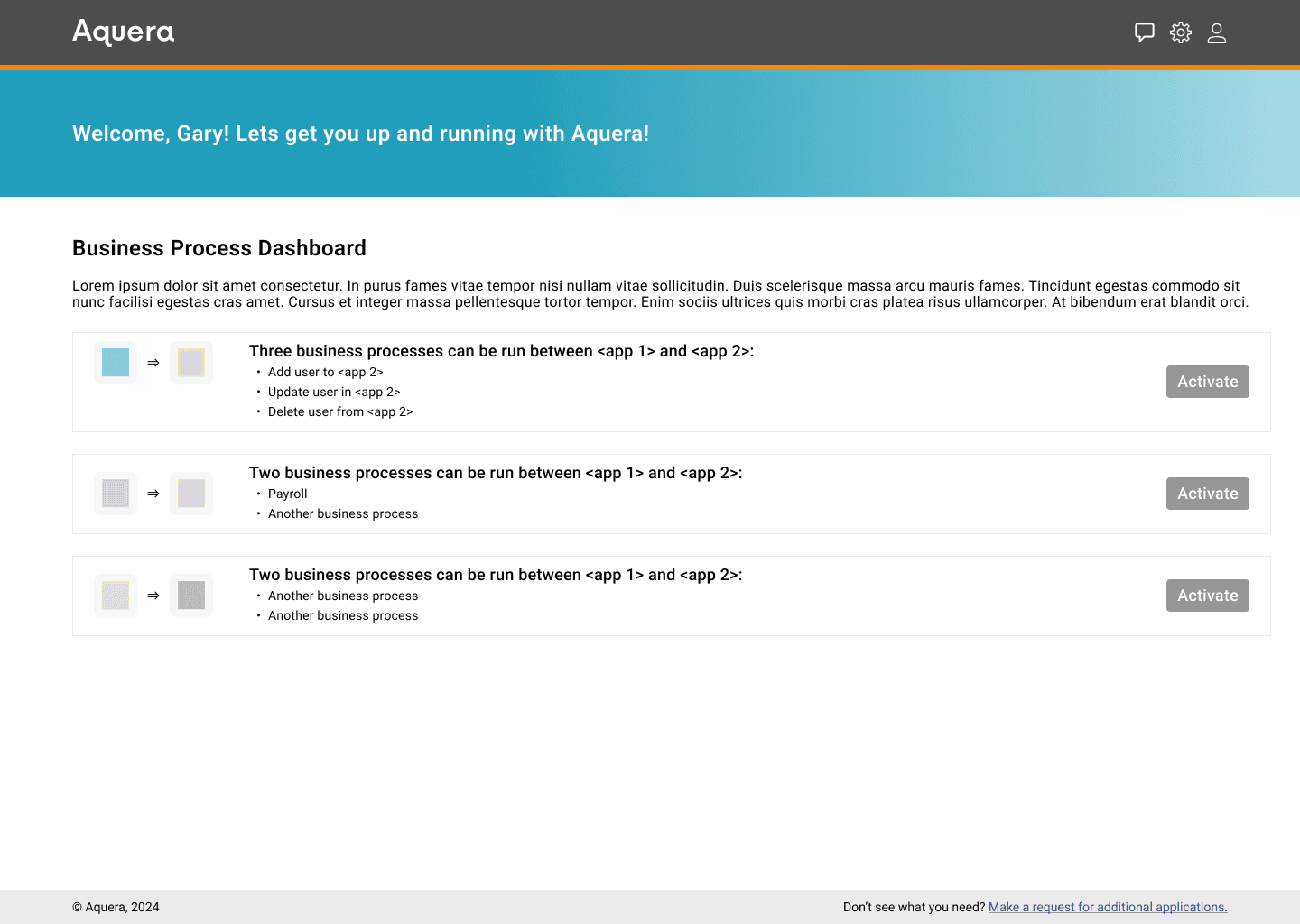
So I added categorization.
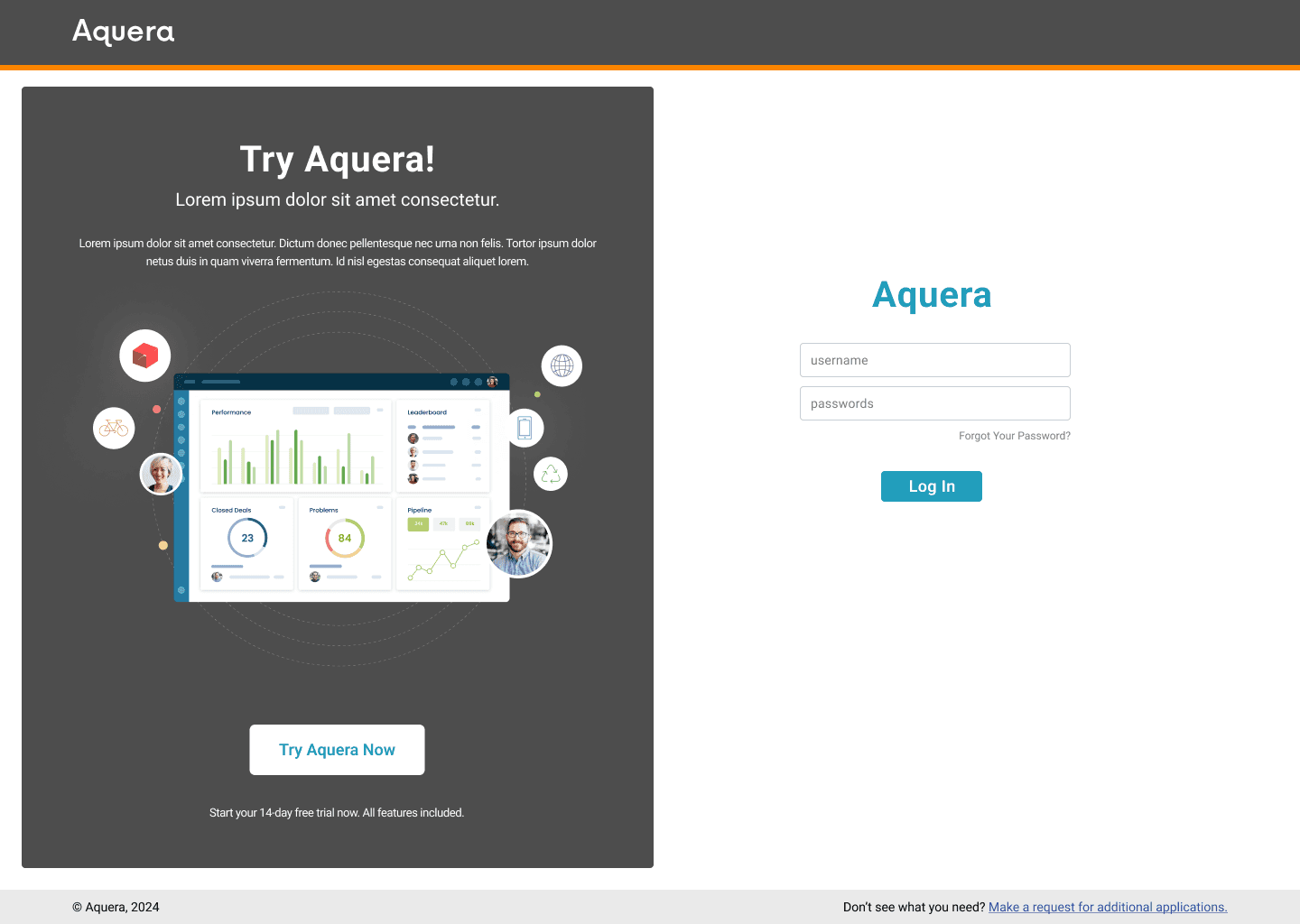
playtime: smb visual treatment (v1)
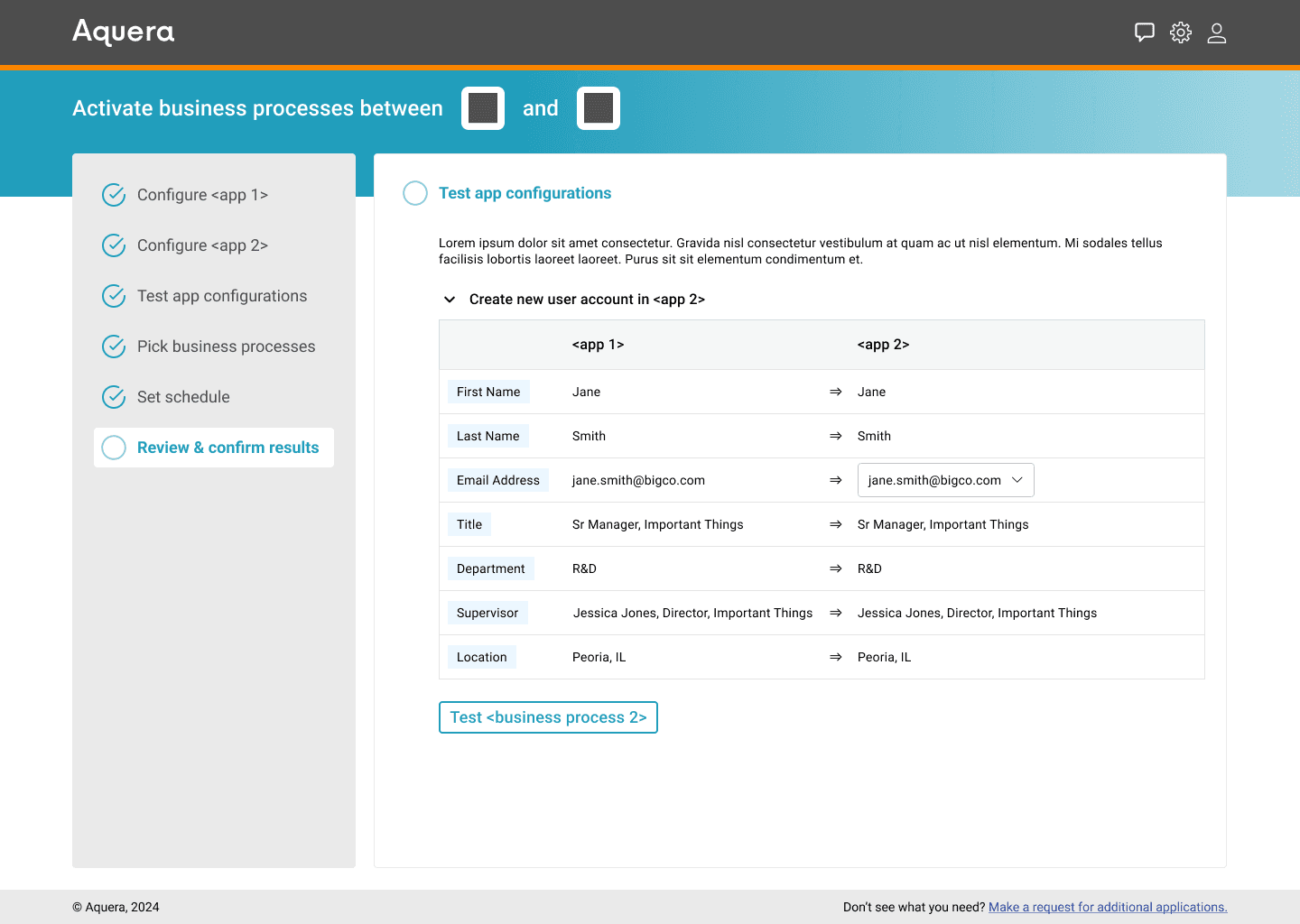
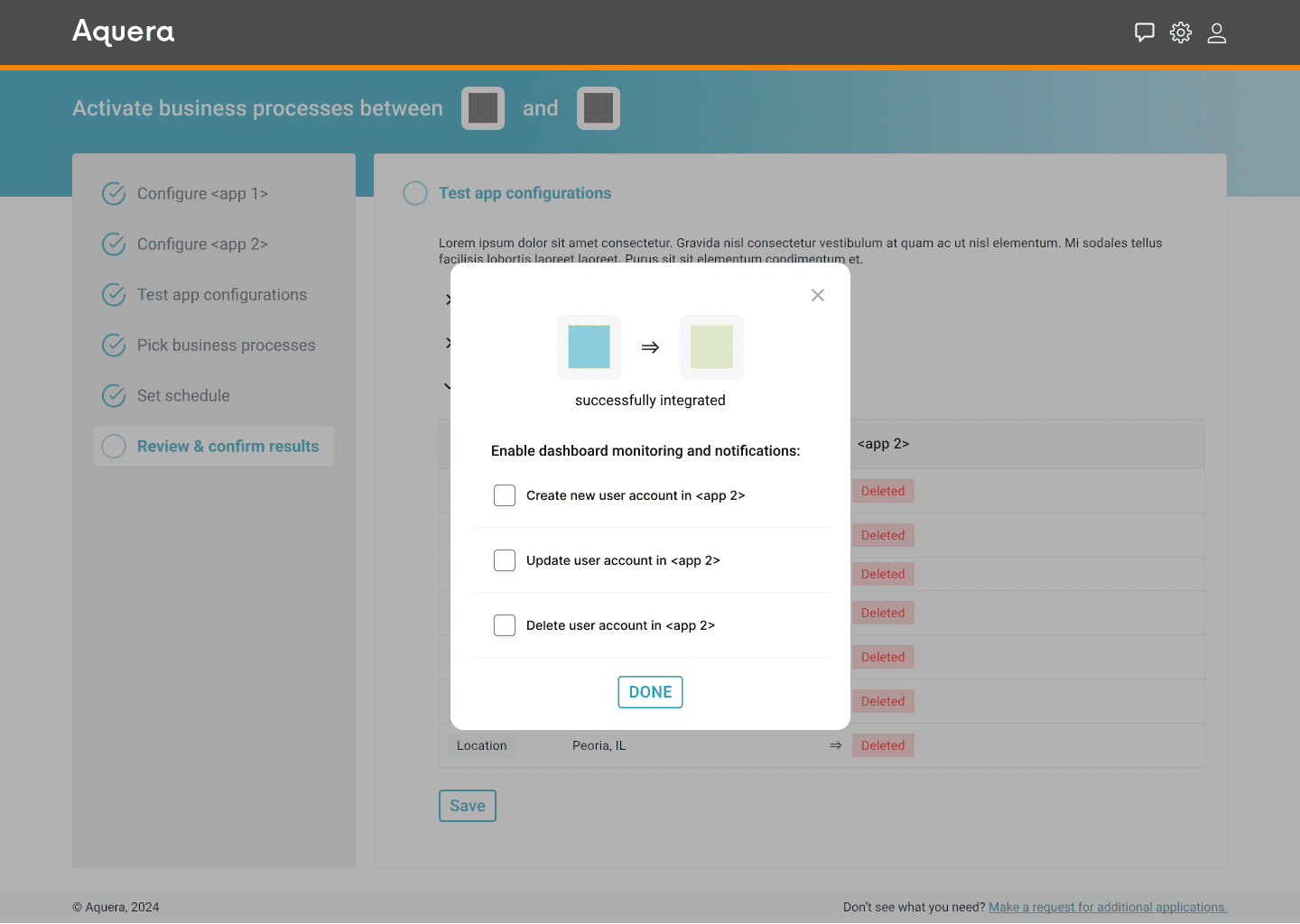
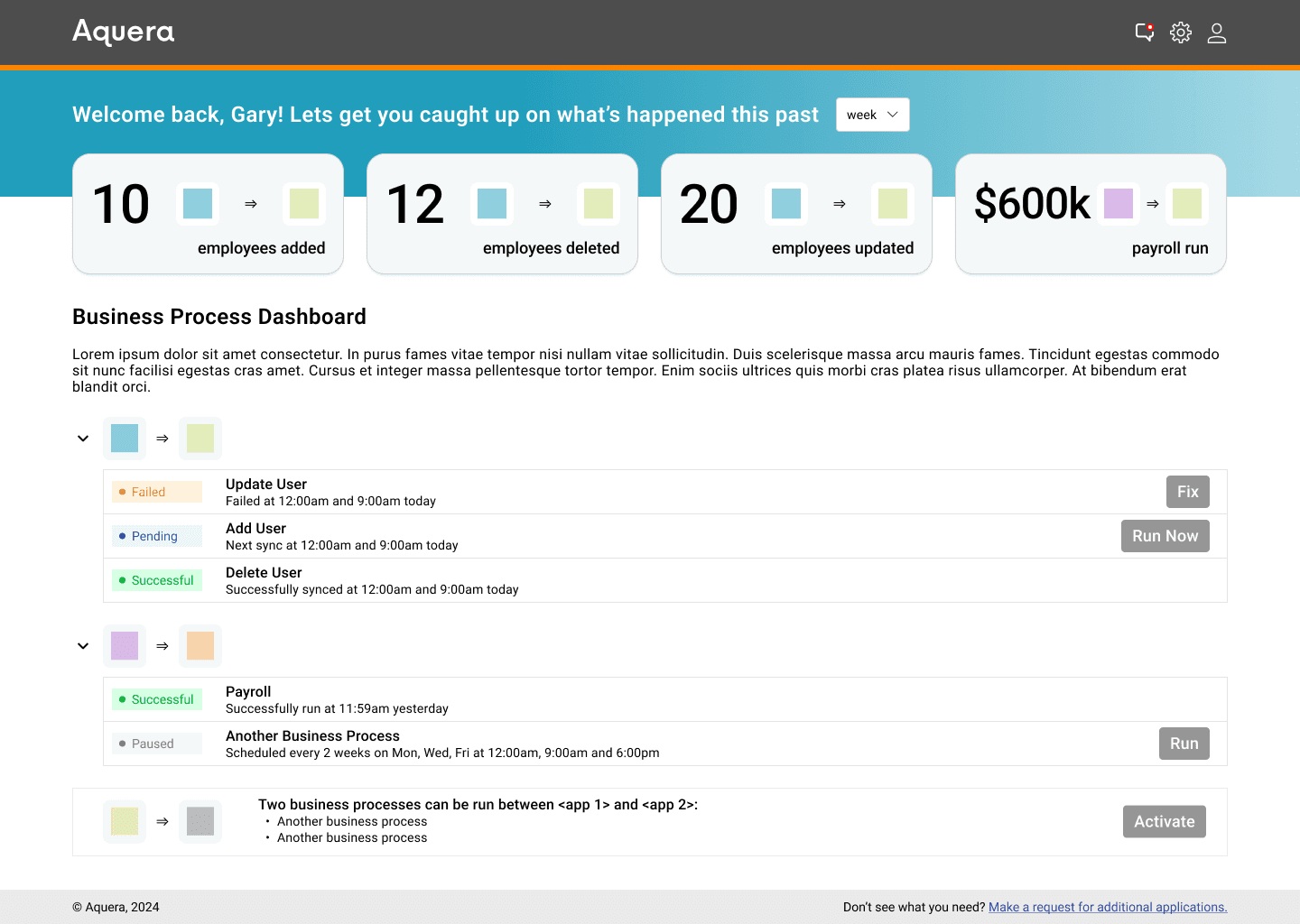
I took some time to move the wireframes into a more SMB-like visual treatment.
inline help
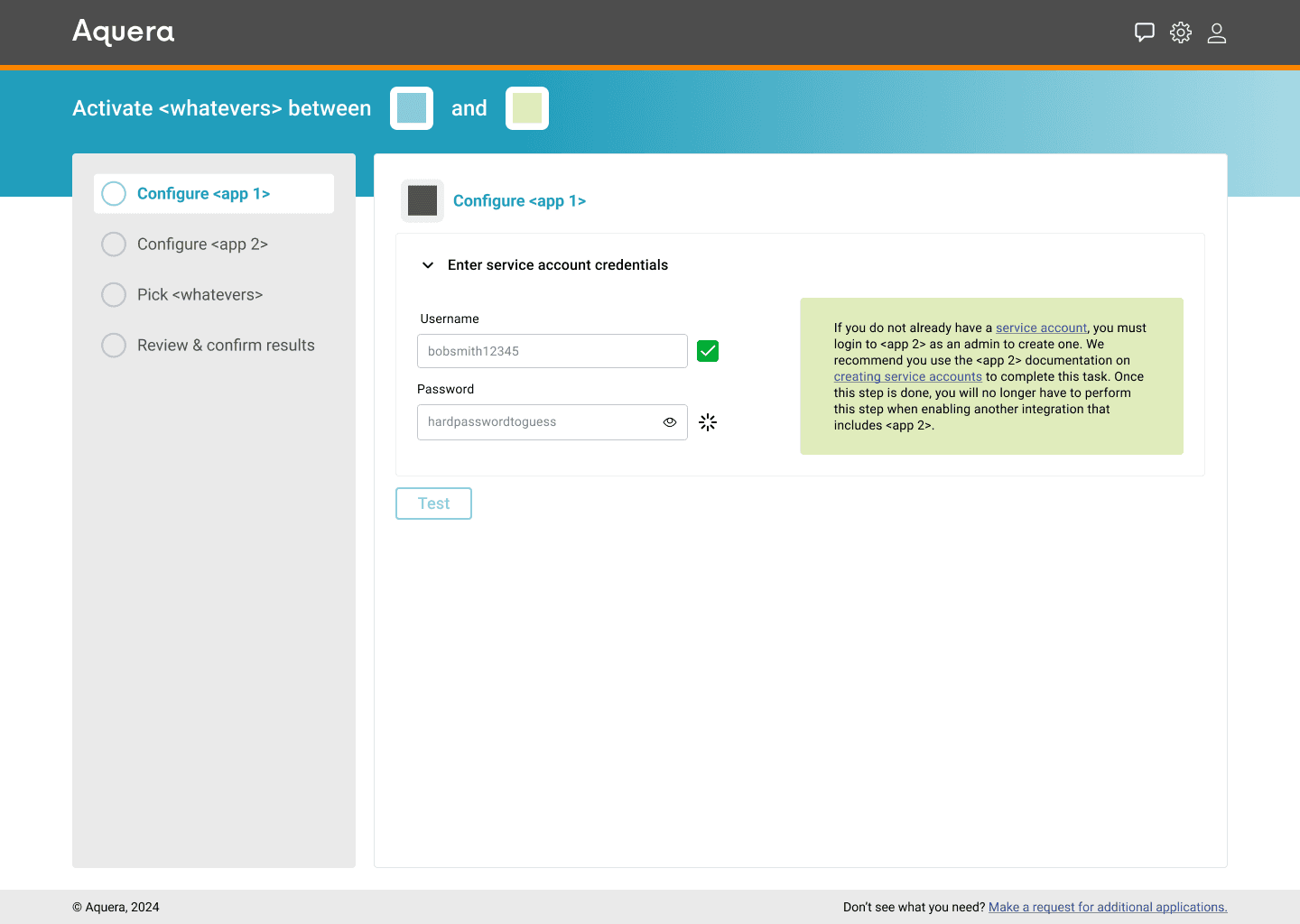
After getting some feedback from a former colleague who is a CPO (you know how you are, thank you), I added in some inline help that would be specific to the application that is being configured.
customer curveball!
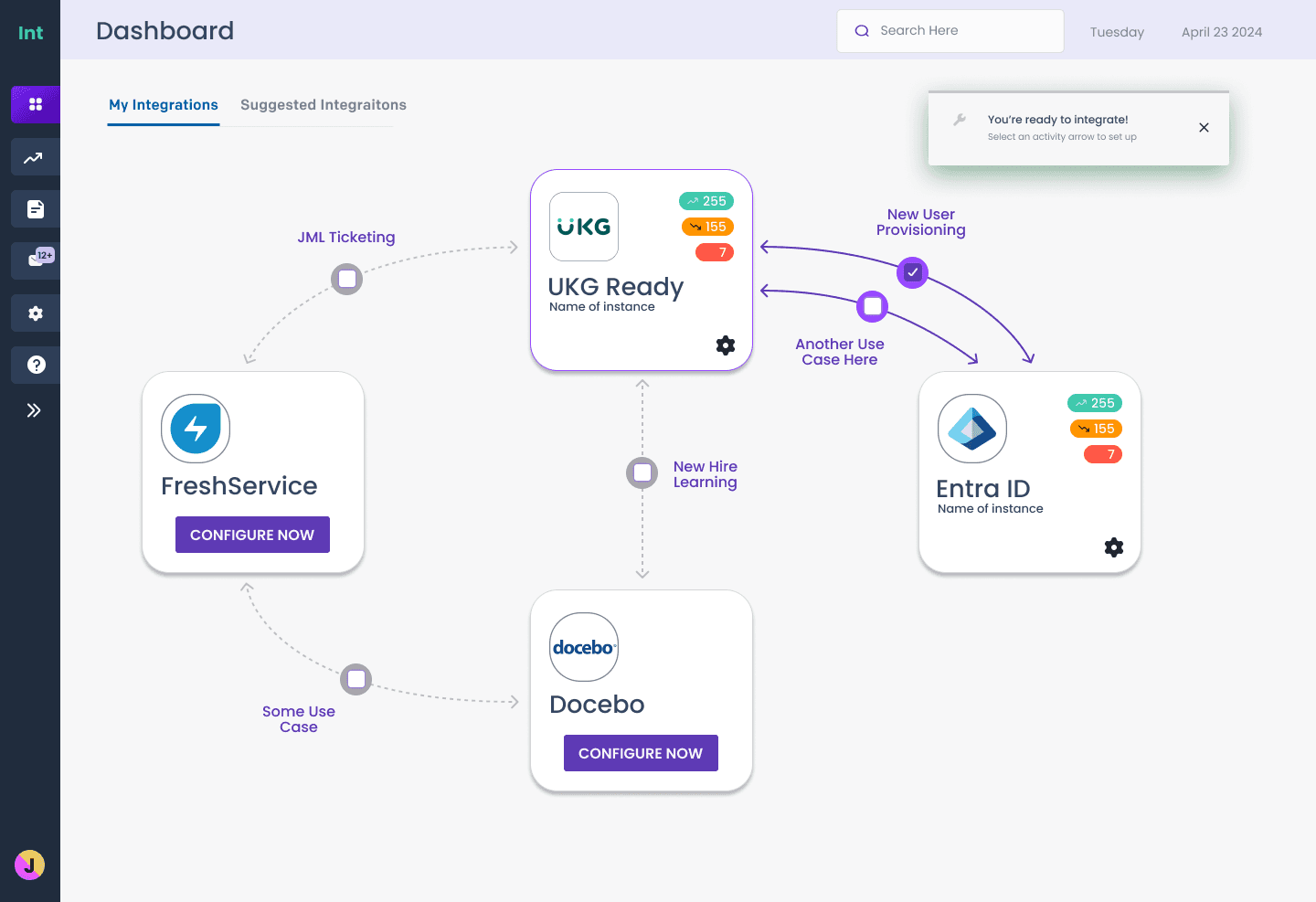
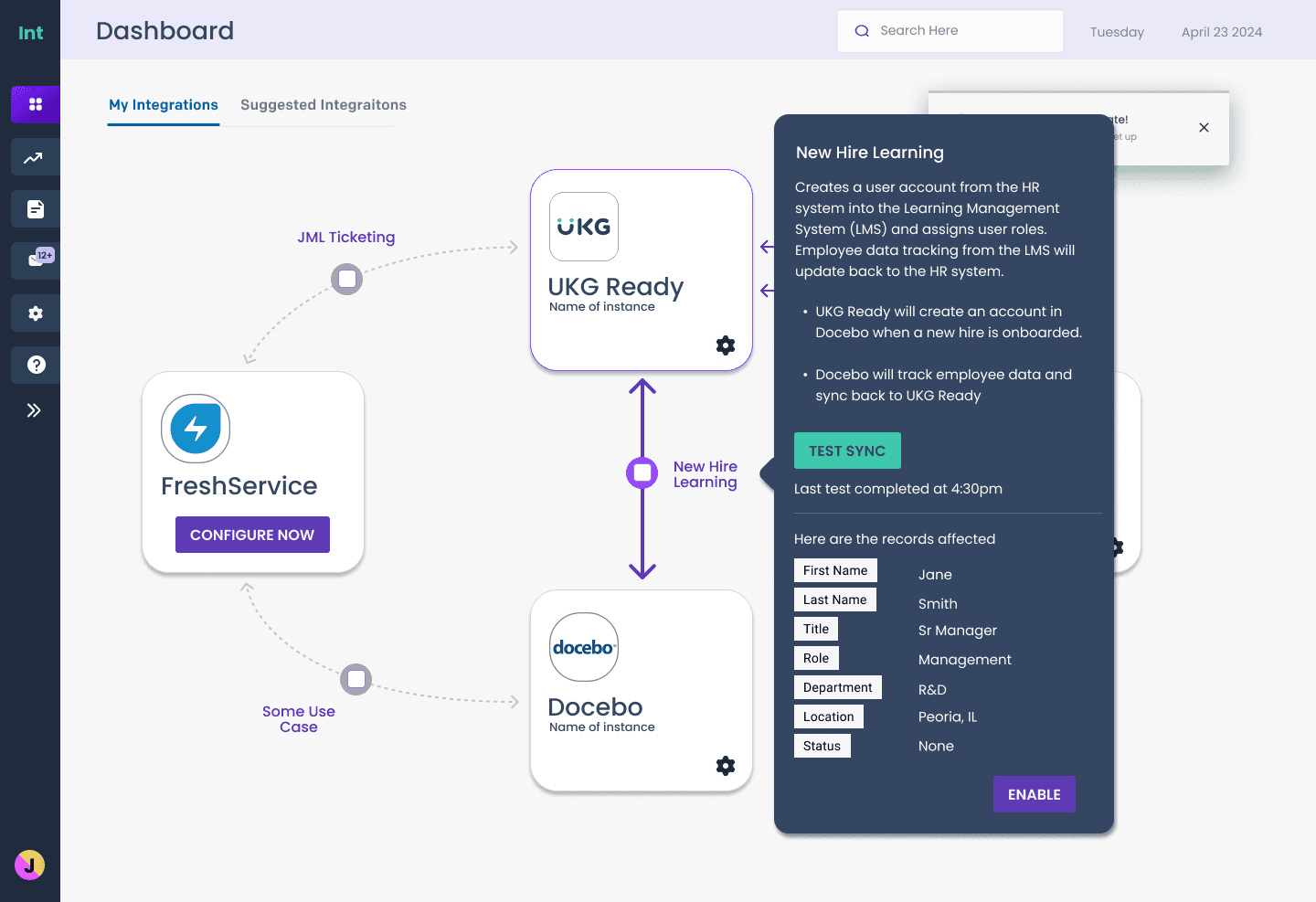
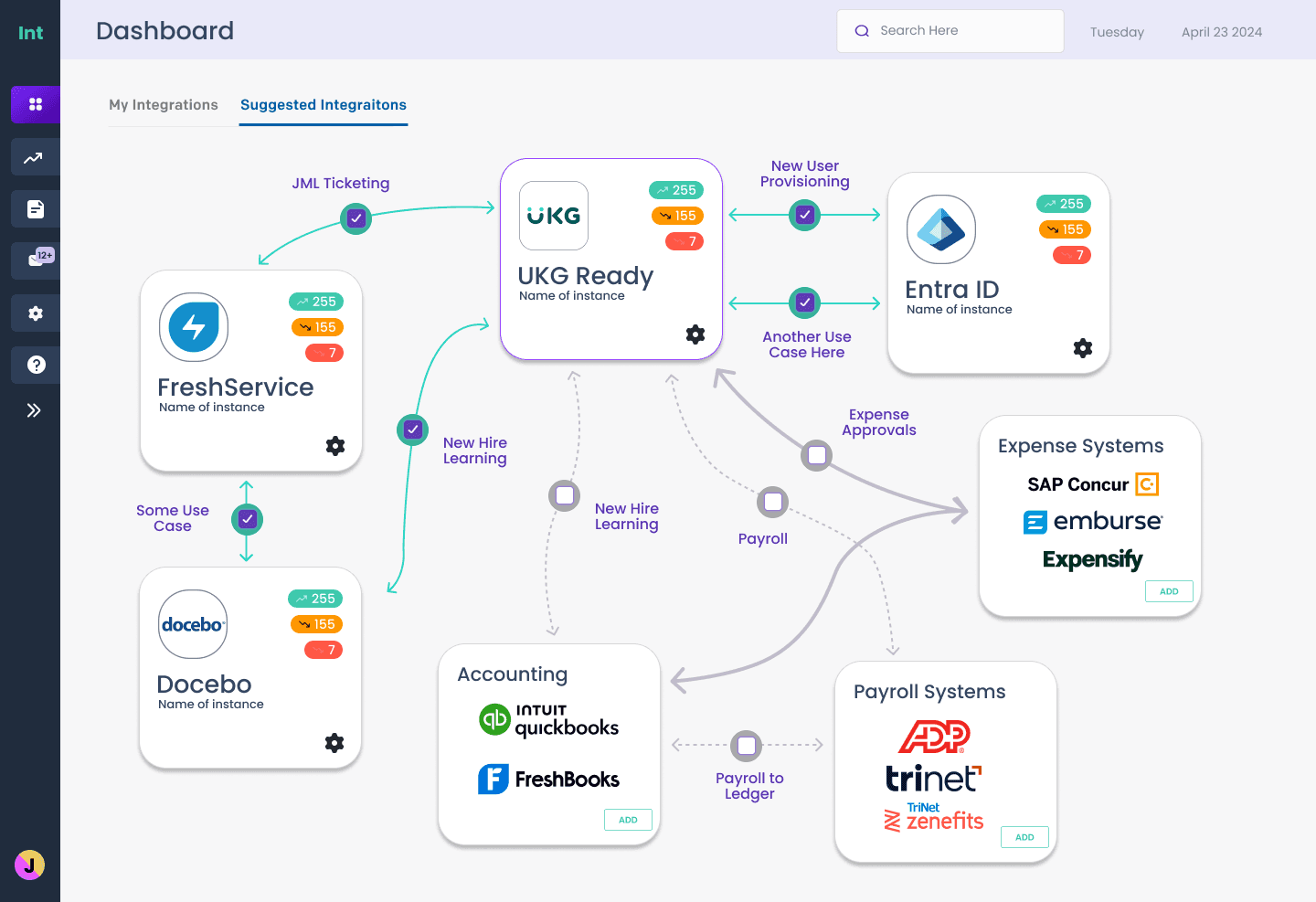
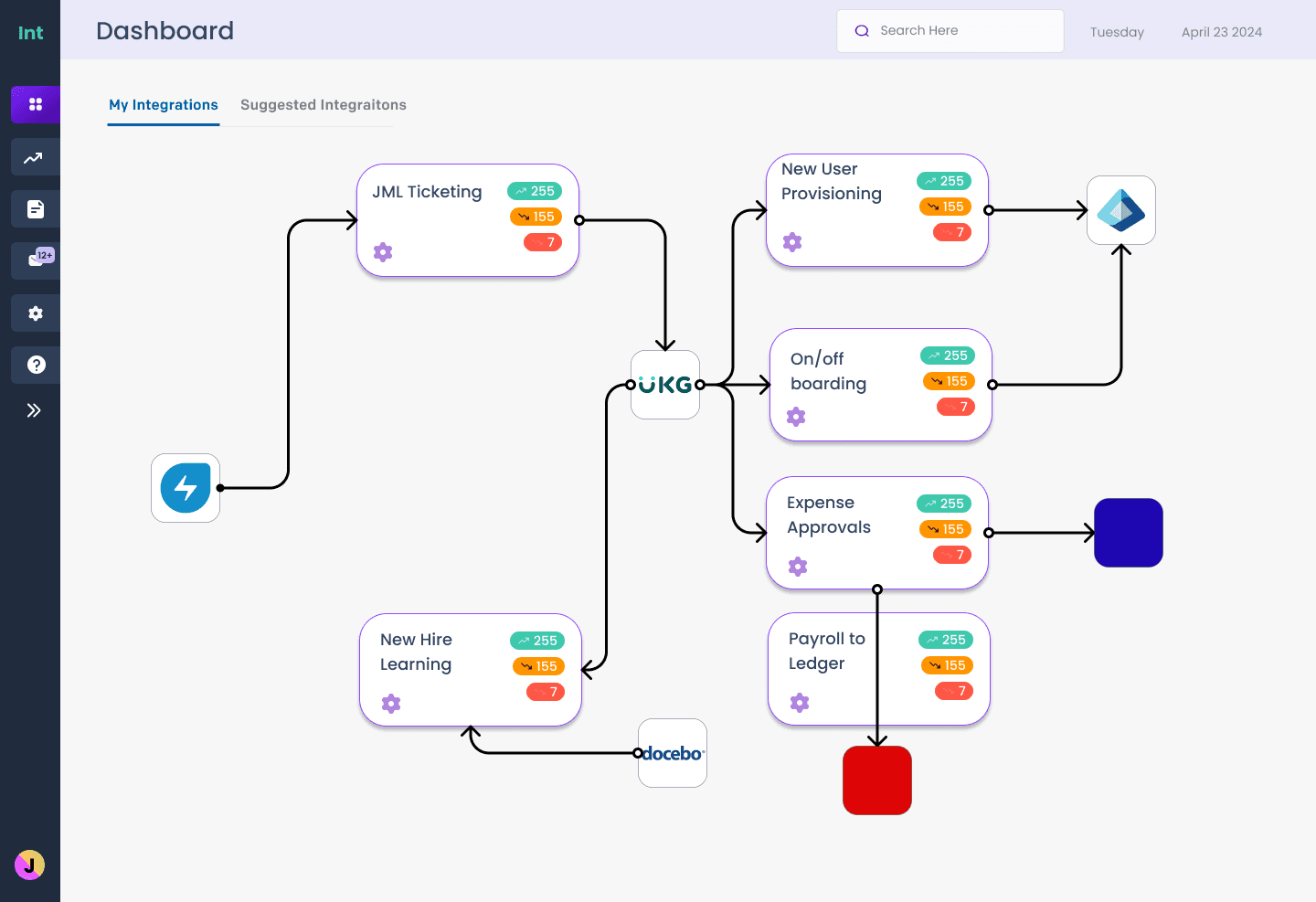
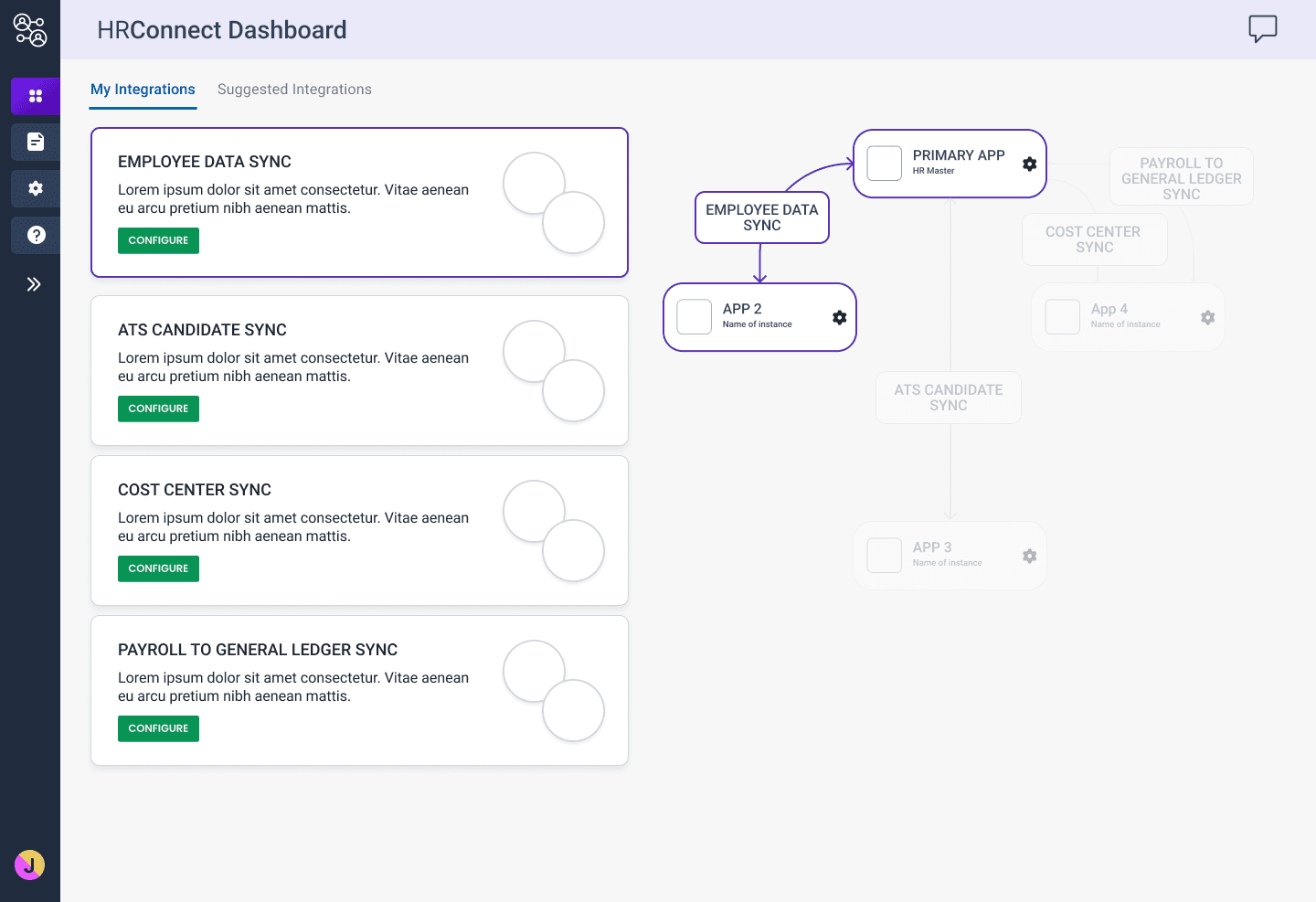
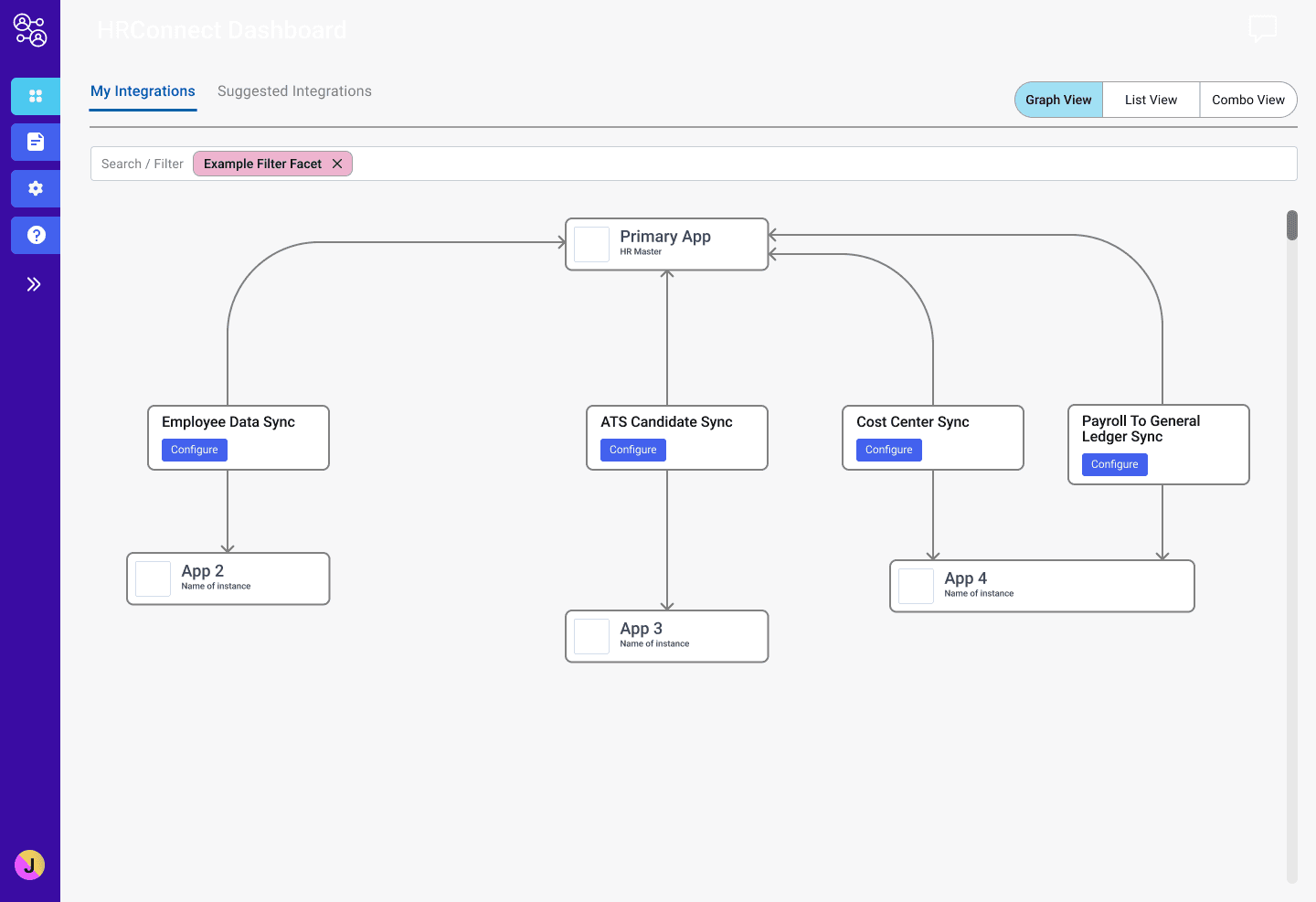
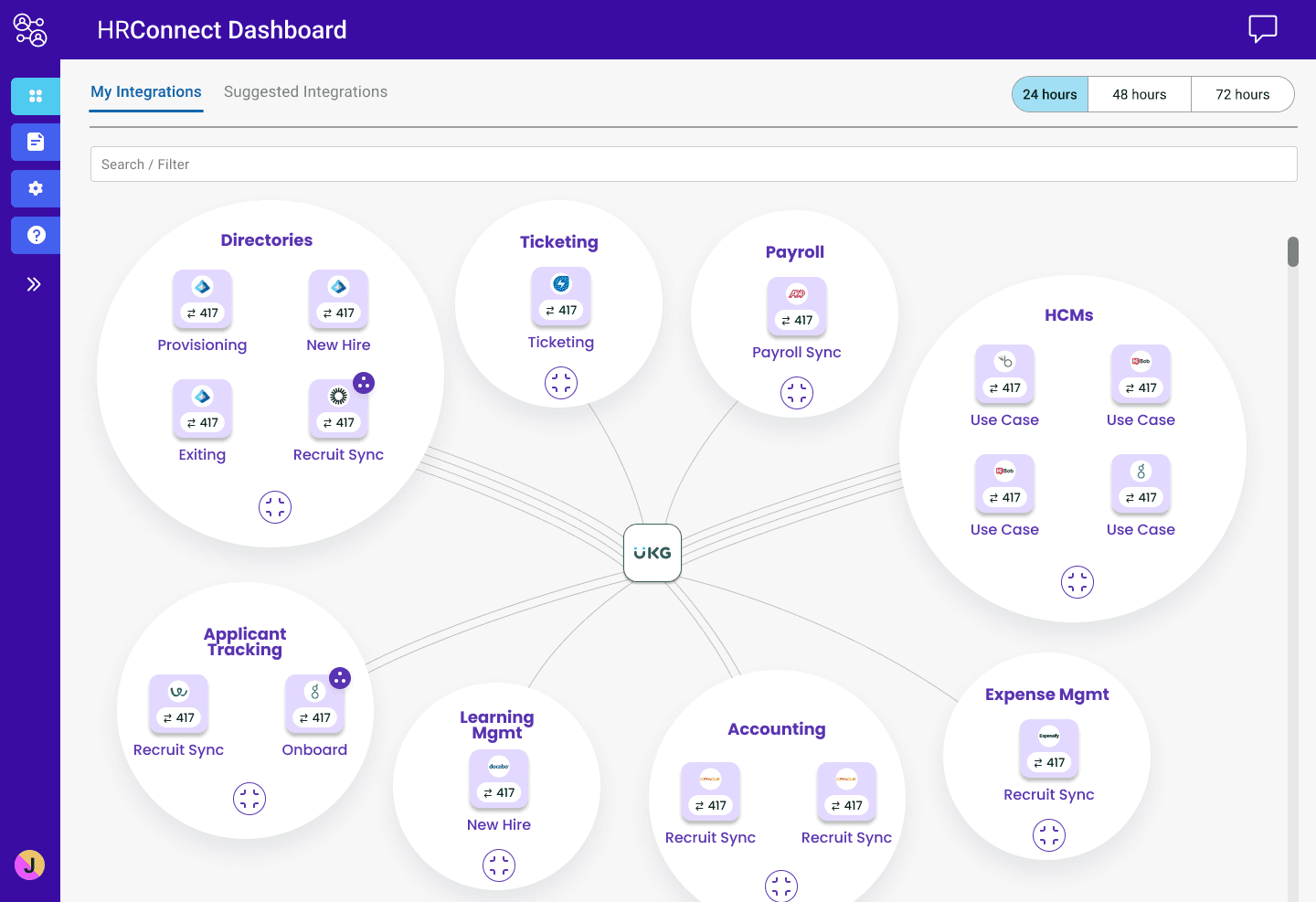
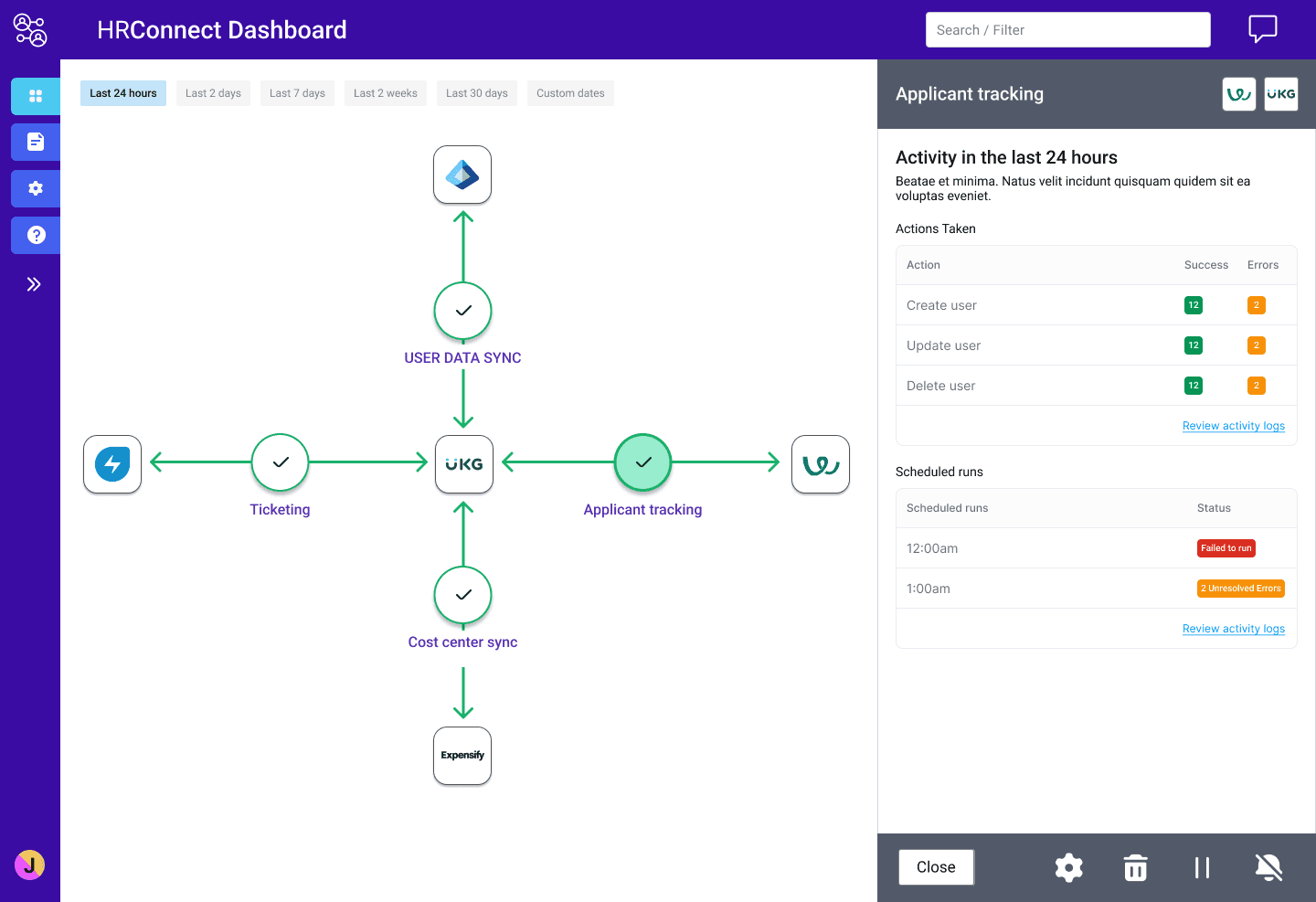
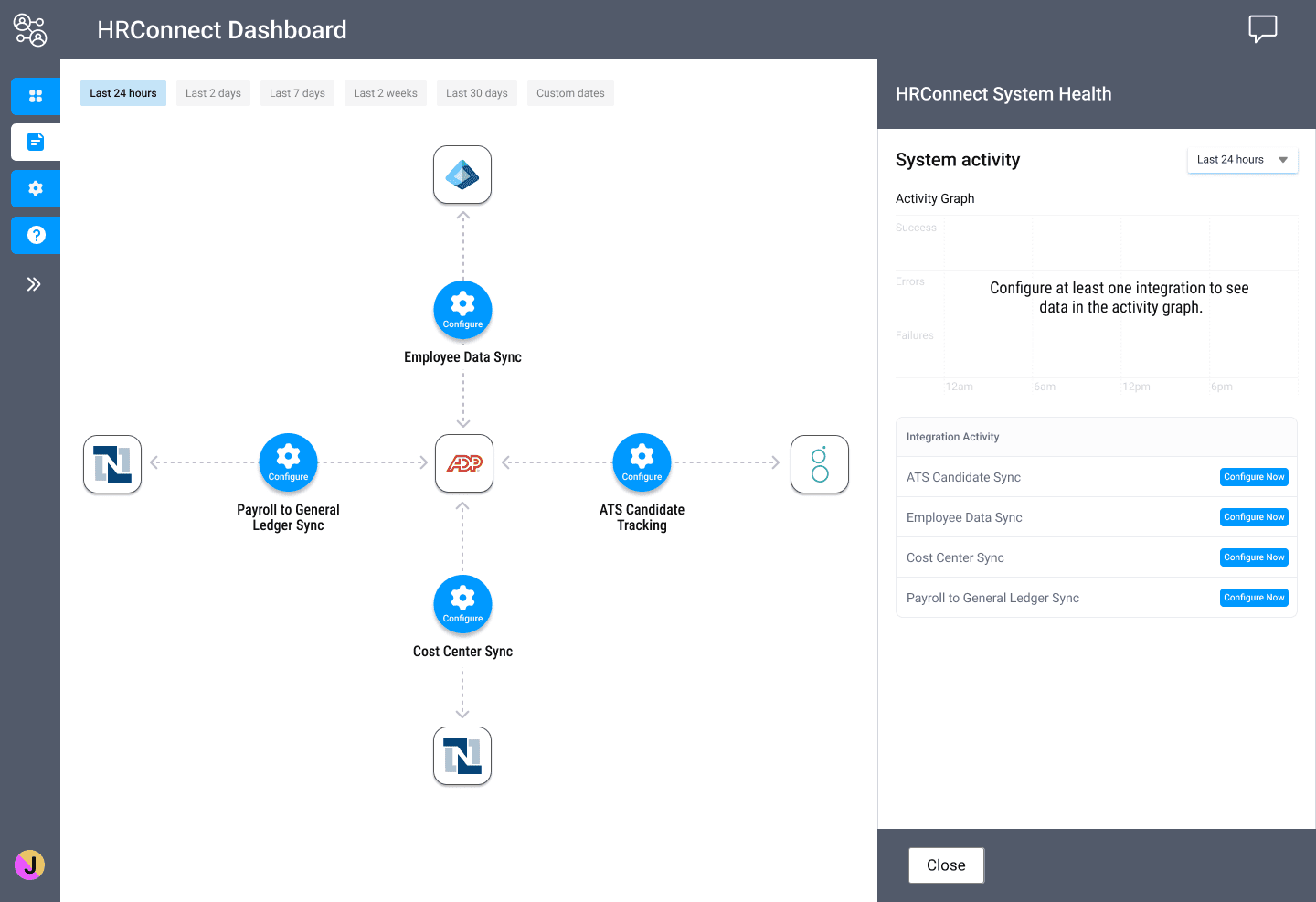
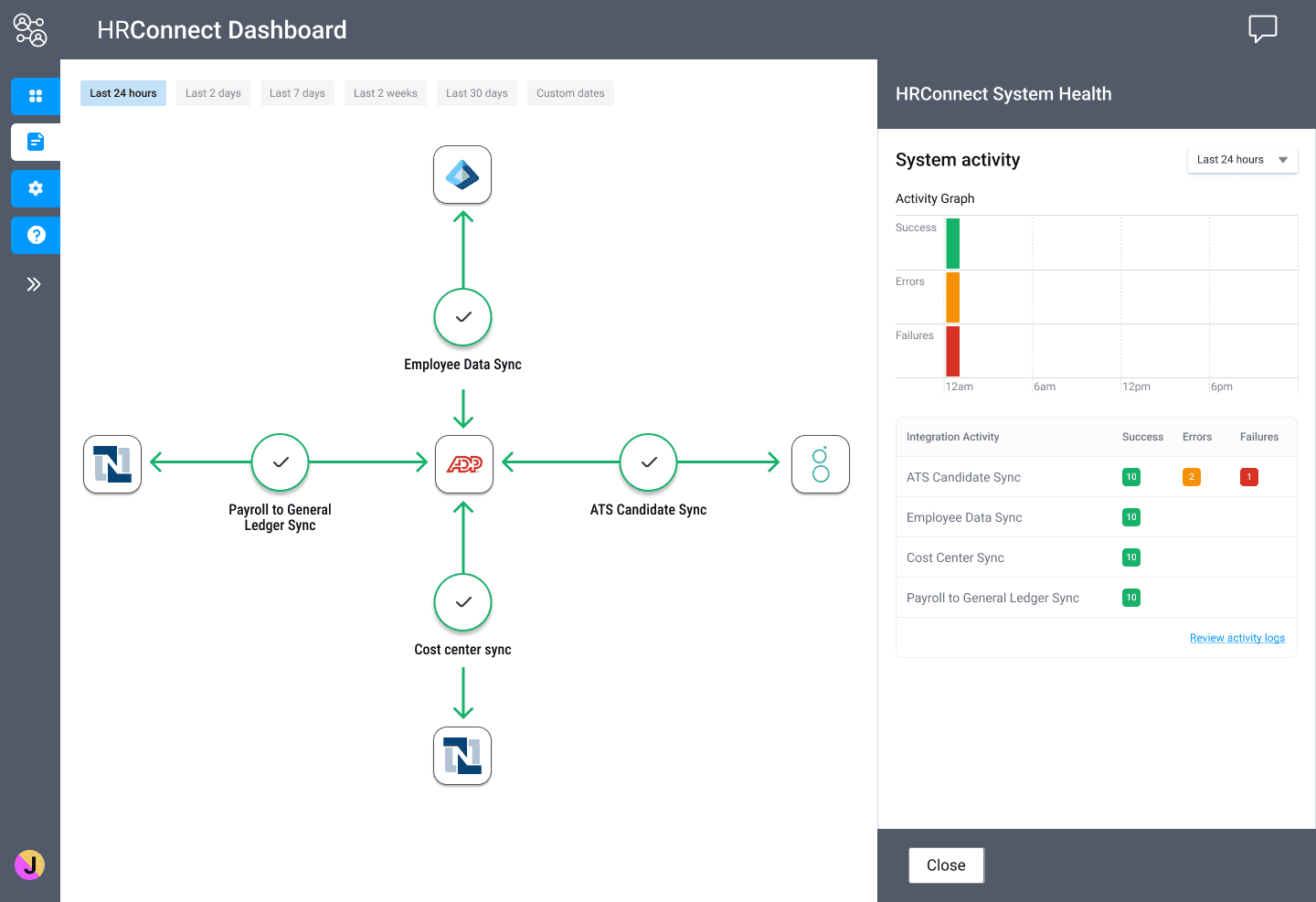
The team at Aquera requested that we make the dashboard less table-like and more like a network graph. While I worked on a more complex portion of the product (error logs and troubleshooting), I asked another designer to take a pass at the graph and try a few options.
enabling self-service: logs and troubleshooting
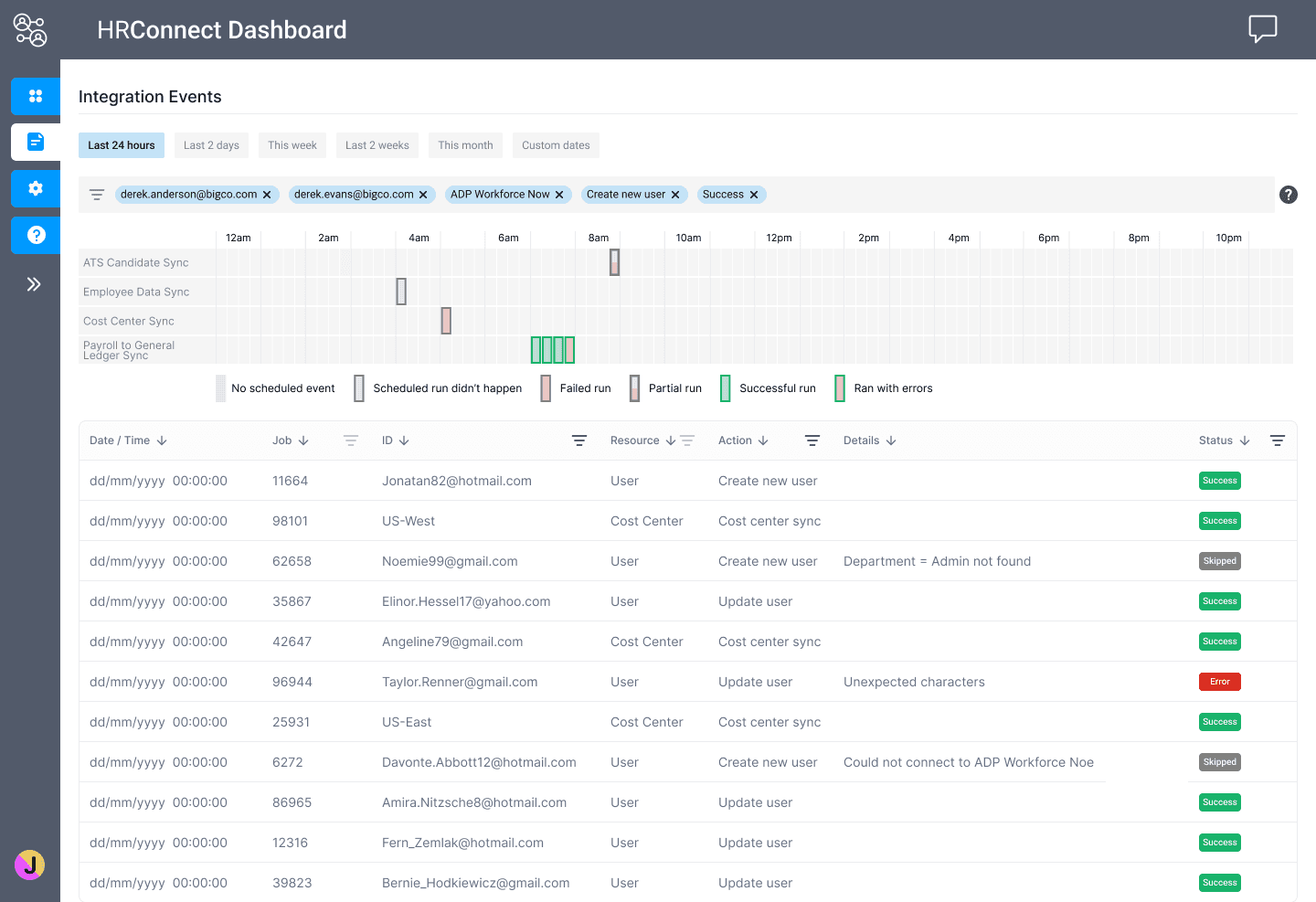
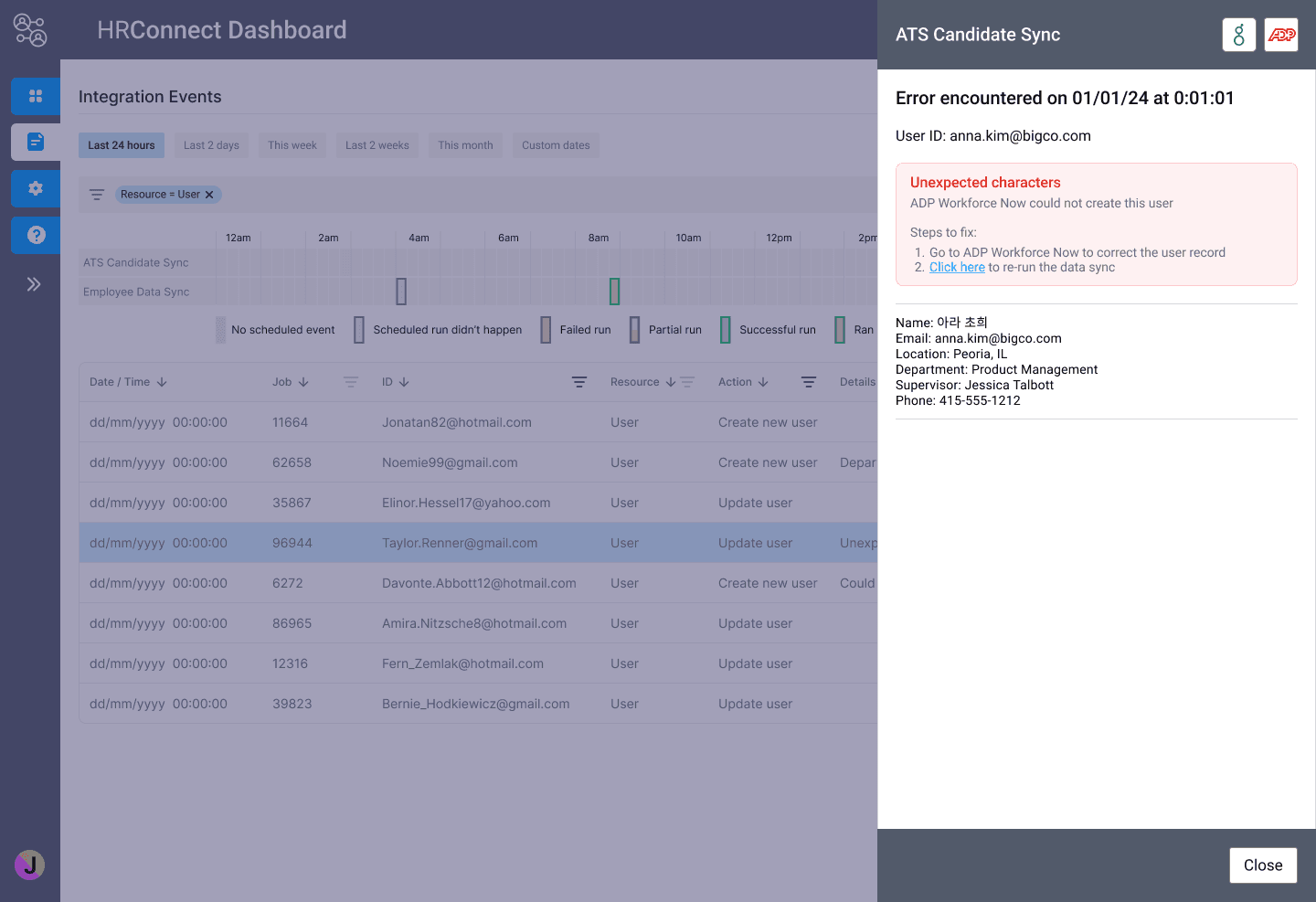
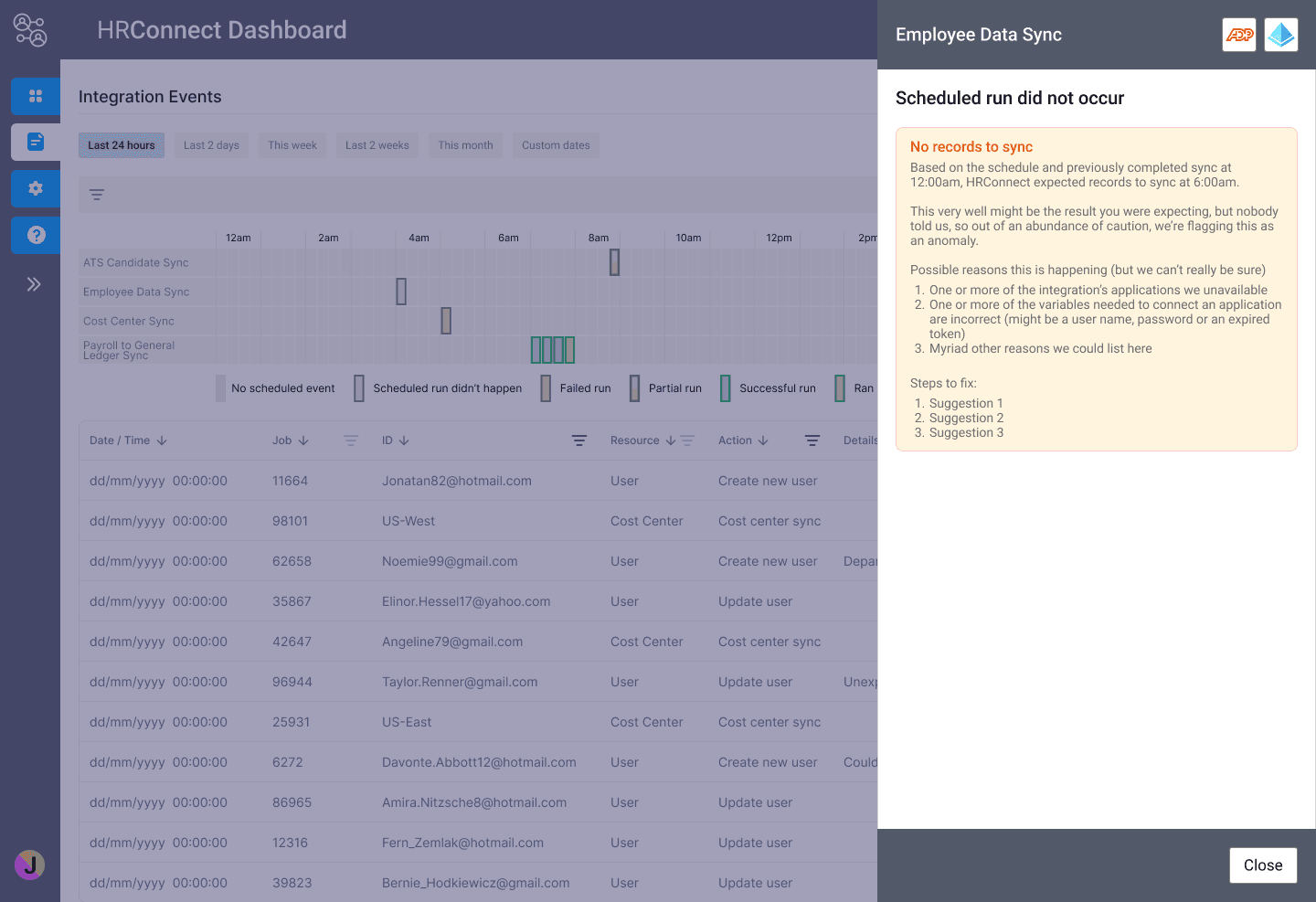
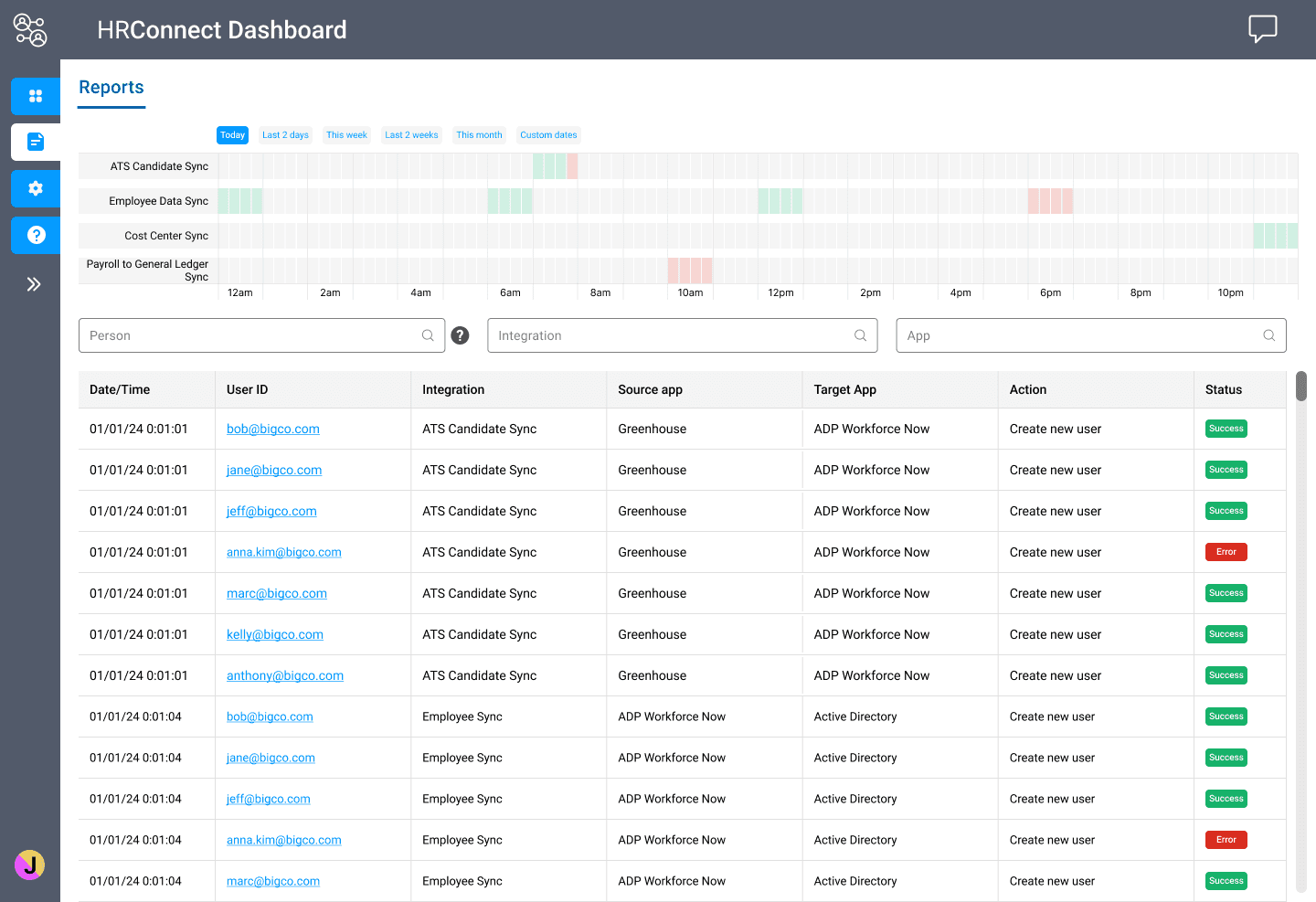
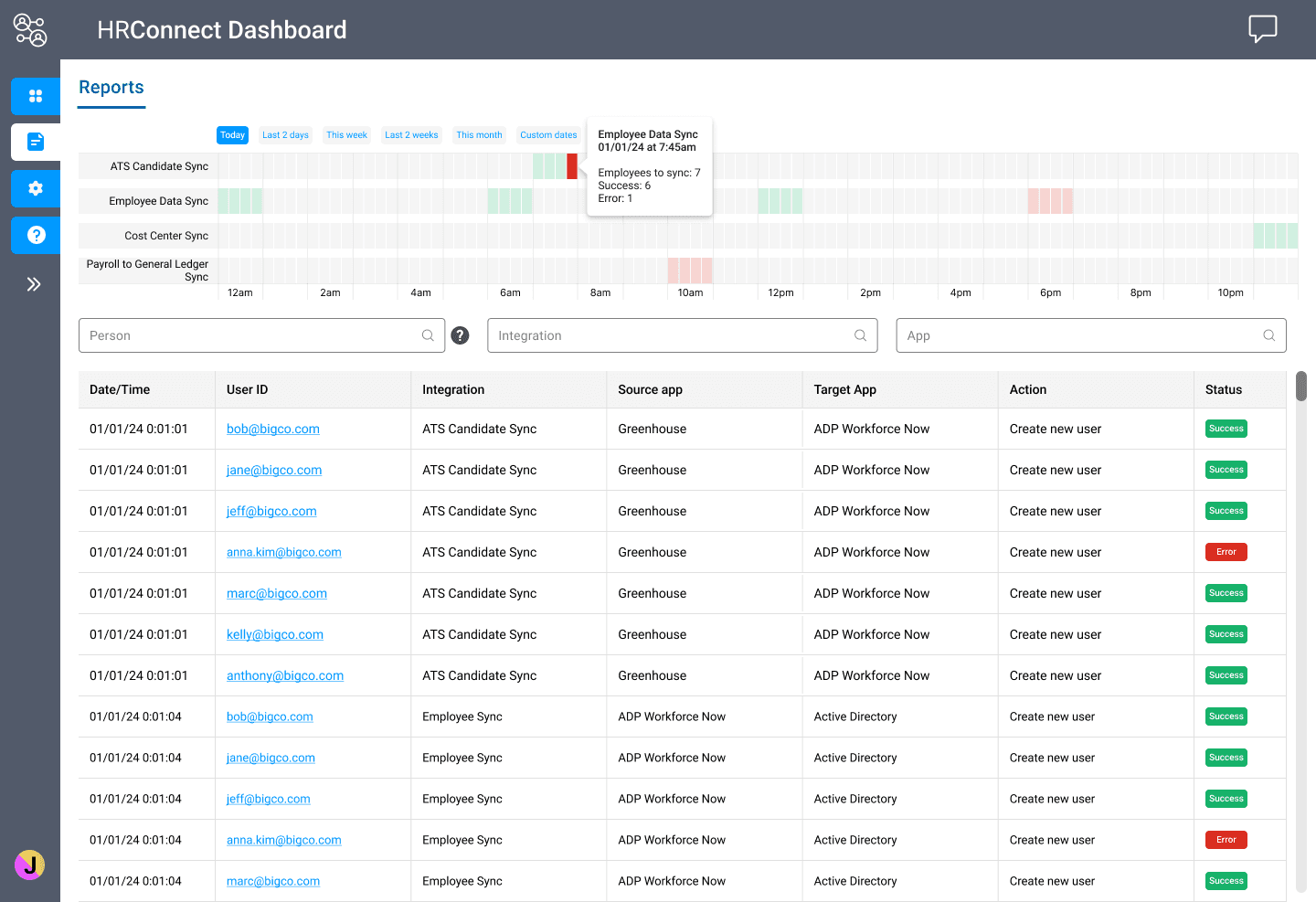
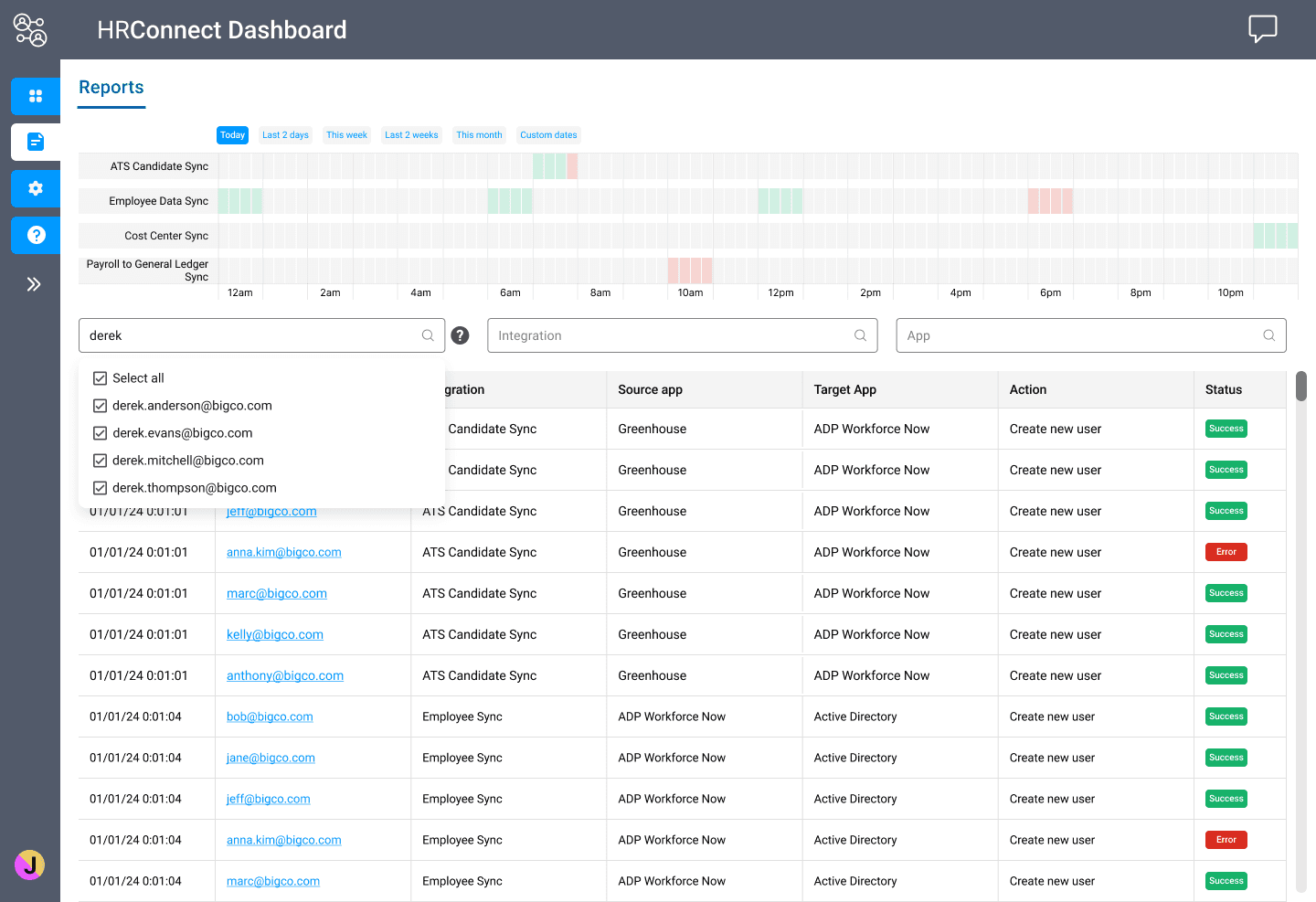
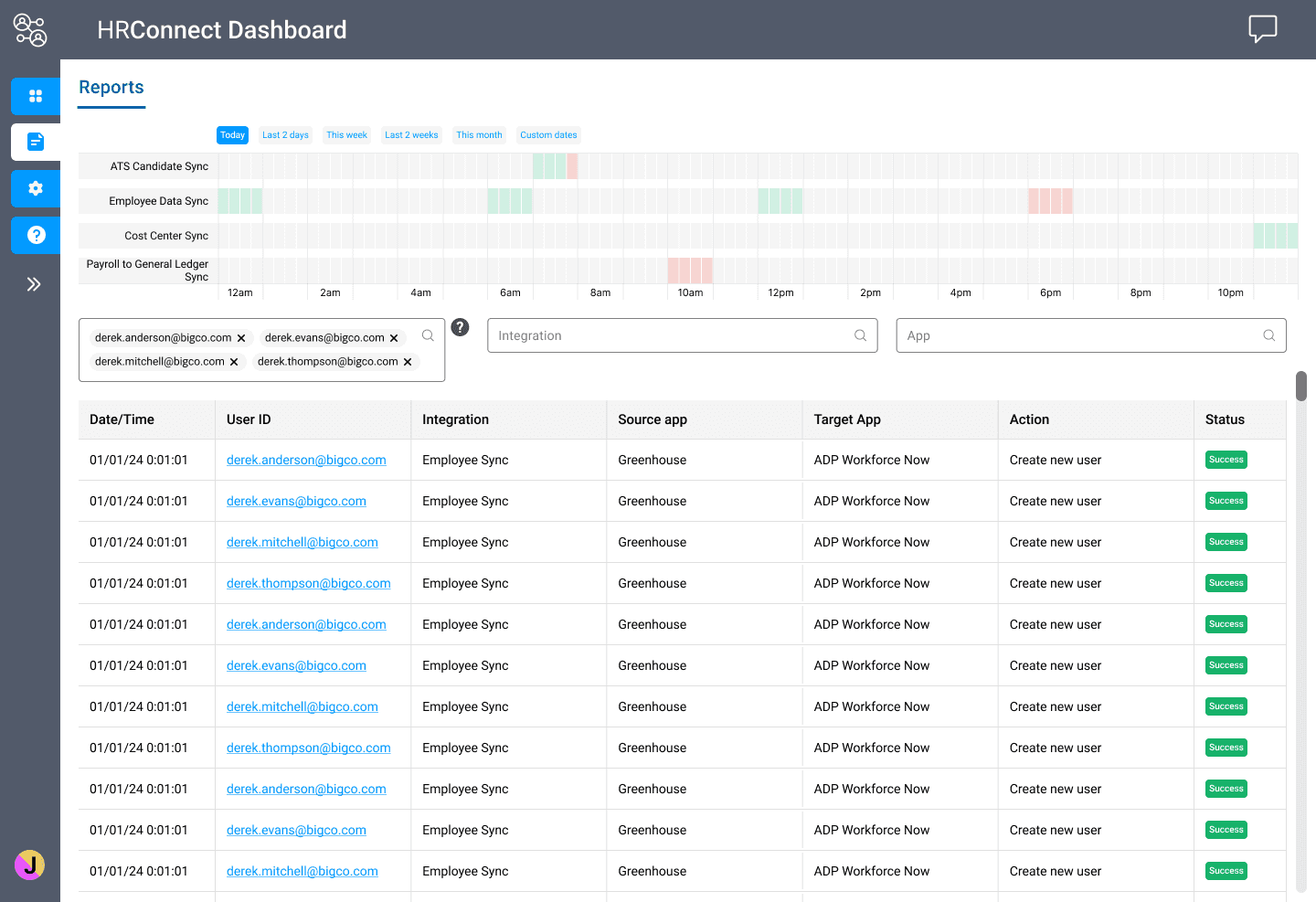
A big focus of the HR Connect application was providing the HR Manage the ability to troubleshoot common problems without having to log support tickets or work with a customer support person. The user had to be able to to do the following:
Easily spot problems
Zero in on the issues themselves
Fix them (when possible)
After some experimentation, I landed on a view that was similar to a stock ticker UI.
phase 1 end-to-end wireframes
A big focus of the HR Connect application was providing the HR Manage the ability to troubleshoot common problems without having to log support tickets or work with a customer support person. The user had to be able to to do the following:
Easily spot problems
Zero in on the issues themselves
Fix them (when possible)
After some experimentation, I landed on a view that was similar to a stock ticker UI.